How to Compare Field Service Software and Find Your Perfect Fit

Picking the right field service software can feel hard. But it’s really about one thing: finding a tool that helps you get jobs, even when you're busy. If you are a plumber or cleaner, a missed call means lost money. The right software is like a helper that keeps your schedule straight so you can work.
Why Field Service Software Is a Game Changer
If you're a plumber, electrician, or cleaner, your office is often a customer's home. You can't answer the phone when you're under a sink. This is when new jobs can slip away. Field service management (FSM) software was made to fix this exact problem.
These tools are not just for big companies. They are built for small shops and even one-person teams. Think of it as your own command center that handles all the paperwork. This lets you focus on the work you get paid to do.
Stop Losing Work and Get Your Business in Order
The biggest win is simple: this software helps you get more work. You don't have to use a messy notebook or listen to a lot of voicemails. Everything is in one neat place. This makes you look more professional and helps you remember important things.
- Scheduling and Dispatching: See your whole day, week, or month at a glance. You can give jobs to your crew so everyone knows where to go.
- Customer Information: Keep a list of every client, their past jobs, and their contact info. When Mrs. Smith calls, you'll know her full service history.
- Better Communication: Most tools can send automatic reminders to customers. This means fewer people miss their appointments.
A Growing Need for Smart Tools
Many businesses are using these tools. The US market for FSM software was $2.9 billion at the start of 2025. It grew 7.2% from the year before. This shows that businesses like yours are using tools to work smarter and beat their competition. You can learn more about the field service software market stats on ibisworld.com.
When you use the right system, you are not just buying software. You are buying back your time. It frees you from the stress of planning and lets you do good work and grow your business.
Taking time to do a smart field service software comparison is the first step to running a better business.
Must-Have Features for Every Service Business
Before you compare field service software, you need to know what to look for. It's like buying a new truck. You wouldn't just pick one because you like the brand. You'd check the engine and size to make sure it can do the job. The same is true for software.
The right software should make your day easier, not harder. It should fix real problems, like getting paid faster or making sure your crew is on time. Let's look at the features every home service business needs.
Scheduling and Dispatching
This is the control center for your work. A good scheduling tool gives you a clear view of all your jobs on a calendar. You can give out tasks and move appointments around easily.
Imagine you get a call about a burst pipe. Instead of looking through a paper schedule, you can see which worker is free and nearby. You can send them right away. This turns a bad day for the customer into a great review for you.
Mobile App Access
Your team works on the road, not at a desk. A good mobile app puts the office in their pocket. They can see job details, check customer history, and take pictures of their work. They don't have to call you for information.
This one feature makes you much faster. When a job is done, your worker can use the app to make an invoice and take a payment right there. This means you get money in your bank account today, not weeks from now.
Customer Management
Happy customers come back. A customer management tool, or CRM, is like a digital file cabinet. It keeps a record of everyone you've worked for. It holds their contact info and a history of every job.
So when Mrs. Jones calls about a leaky faucet, you can see you fixed her water heater last year. Remembering small details like that makes your service feel special. This builds trust and makes them call you again.
A single place for all customer history helps your team give great service every time. It's the difference between being just another company and being their company.
The FSM software market shows how important these tools are. The global market was worth about $4 billion** in 2023 and is expected to be **$7.3 billion by 2028. Small and mid-sized businesses are using them to get ahead. You can see more numbers in the latest field service market forecast.
Invoicing and Payments
Let's be honest—getting paid is the whole point. Software that includes invoicing and payments makes this easy. You can make nice-looking invoices, send them to customers by email or text, and let them pay online.
This does more than just get you money faster. It also tracks who has paid and who has not. It can send polite reminders so you don't have to chase payments. For more tips on running your business, read our guide on field service management best practices.
Before we move on, let's put these key features in a simple table. This will help you know what to look for when you check out different options.
Must-Have Field Service Software Features
| Feature | What It Does | Why It's Important For You |
|---|---|---|
| Scheduling & Dispatching | Plans jobs and sends workers to them. | Makes sure your team is in the right place at the right time. |
| Mobile App Access | Lets your team handle jobs from their phones. | Helps finish jobs faster and improves communication. |
| Customer Management (CRM) | Stores all client info and job history. | Helps you give better service and keep customers coming back. |
| Invoicing & Payments | Makes invoices and takes online payments. | Makes it easier and faster for you to get paid. |
Knowing these four key parts will make your software search easier. They are the base of a system that will help your business grow.
Comparing The Top Field Service Software Options
Okay, you know what features you need. Now for the hard part: picking the right tool for your business. This is not a one-size-fits-all choice. A single plumber needs to get organized. An HVAC company with five trucks needs to plan every job perfectly.
To make a real-world field service software comparison, we'll look at three popular options: Jobber, Housecall Pro, and ServiceTitan. We won't just list features. We'll see what each one is like to use every day.
Most of these tools are built to do three main things: schedule jobs, give your workers a mobile app, and get you paid. These are the most important things for running a smooth business.
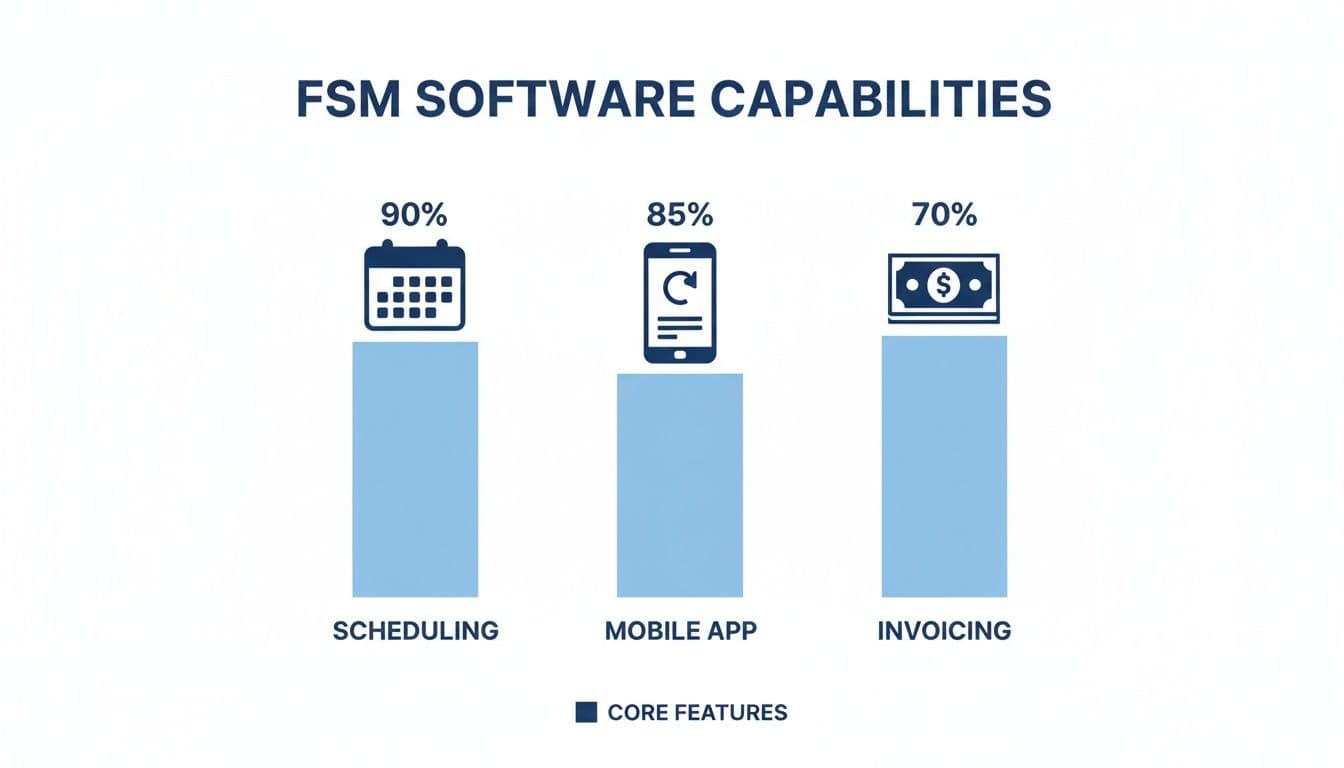
As you can see, good scheduling and a great mobile app are key. They keep your team working well together.
Jobber: For Getting Organized Fast
Jobber is often the first choice for new or small home service businesses. That's because it's very easy to use. It helps you stop using messy papers without a lot of learning.
Its best part is how simple it is. The drag-and-drop calendar makes scheduling easy. If a call for a burst pipe comes in, a plumber can look at their day on the mobile app, see a free spot, and add the new job in about 30 seconds.
This focus on the basics makes it great for businesses that need to get organized right now.
- Best For: One person or small teams of 2-3 people in jobs like lawn care, cleaning, or handyman work.
- Key Strength: It's easy to use. You can set up your business and start booking jobs in less than an hour.
- Real Example: A house cleaner sends a quote to a client's phone. The client taps to approve it, and the job appears on the cleaner's schedule.
Jobber is great at the basics: quoting, scheduling, and invoicing. But if you plan to grow a lot, you might need more advanced tools later.
Jobber is all about getting your business organized without the stress. It gives you what you need to manage jobs and get paid. It's a great start for any service pro.
Housecall Pro: For Building Strong Customer Bonds
Housecall Pro is another top choice, especially for businesses that count on repeat customers. It has the same main features as Jobber but adds more tools for talking to and marketing to customers.
For example, it can automatically send "on my way" texts. This gives your service a nice, professional touch that customers like. It also has tools to send postcards and emails. This lets you remind past clients to book their next service.
This makes it a great fit for jobs where trust and repeat business are key, like plumbing, HVAC, and electrical work.
A Look At Housecall Pro In Action
Imagine you run a small HVAC company. After a furnace check-up, Housecall Pro can automatically send an email six months later. It reminds that same customer it’s time for an AC check. That simple, automatic message keeps you in their mind and gets you future work.
Here’s where it's really good:
- Customer Alerts: Sends job reminders and "on my way" texts.
- Online Booking: Lets customers book jobs from your website or Facebook page, any time.
- Marketing Tools: Simple email and postcard marketing to get more repeat business.
While it's a great tool, the price can go up as you add more workers. It’s a good middle choice that is easy to use and has smart tools to keep customers happy.
ServiceTitan: For Teams That Are Ready to Grow
ServiceTitan is the big player in the field service world. It's not for beginners. It’s built for service companies that are serious about growth. While the other two help you get organized, ServiceTitan helps you improve and grow your whole business.
This tool does a lot more. It gives you reports on how much money each job makes and how well your workers are doing. It even has a sales tool your workers can use to show customers different price options. This helps you make more money on each job.
That's why it's the top choice for bigger plumbing, HVAC, and electrical shops with many crews.
ServiceTitan is for when you're ready to add more trucks. Its strong reports and sales tools are made to help you not just run your business, but grow it.
The trade-off for all that power is that it's more complex and costs more. ServiceTitan is one of the pricier options, and it takes time to learn. It’s too much for a one-person shop, but it's a game-changer for a business ready to get bigger. For example, a manager can use it to see which ads bring in the best jobs and spend money more wisely. This is what makes ServiceTitan different.
Feature Comparison Of Top Field Service Software
A good field service software comparison is easier when you see everything side-by-side. Here’s a look at how these three tools compare on what matters most to a small business owner.
| Feature Area | Software A (e.g., Jobber) | Software B (e.g., Housecall Pro) | Software C (e.g., ServiceTitan) |
|---|---|---|---|
| Best For | Solo workers & new businesses | Small to mid-sized teams | Big teams focused on growth |
| Scheduling | Simple drag-and-drop calendar | Easy scheduling with customer alerts | Advanced dispatch with GPS tracking |
| Mobile App | Clean, easy for basic tasks | Strong focus on communication | Includes sales tools |
| Pricing | Lowest price to start | Mid-range, grows with features | Higher price for advanced tools |
| Key Difference | Simple and fast to set up | Built-in customer marketing tools | Deep business reports |
In the end, the best software depends on where your business is today and where you want it to be. Find your biggest problem—like a messy schedule or not enough repeat customers—and pick the tool that fixes it.
How to Choose the Right Software for Your Job
General advice won't help you. The software a solo electrician needs is very different from what a growing cleaning crew needs. When you do a field service software comparison, the secret is to match the tool to your daily problems.
To help you with this, I've described a few real-world businesses. Find the one that sounds most like yours. You'll get a clear idea of which software can solve your problems and make you money.
The Solo Electrician On the Go
You're a one-person show. You spend your whole day out on jobs. Your biggest problems are trying to answer calls on a ladder, sending quotes and invoices fast, and looking professional without an office team. You don't need a big system with features you'll never use.
What you really need is speed and ease, especially on your phone.
- Top Need: A great mobile app that lets you run the business from your truck. You can schedule, send invoices, and take payments right there.
- Must-Have Feature: Fast invoicing with online payment options. Getting paid faster is key.
- Nice to Have: Automatic text reminders to customers before a job to prevent no-shows.
Recommendation: Jobber
Jobber feels like it was made for the solo worker. Its mobile app is easy and quick to learn. You can build a quote, text it for approval, and schedule the job in under five minutes. It just handles the paperwork so you can get back to work.
The Growing Cleaning Crew
Your business is taking off. You might have started alone, but now you have a team of three cleaners and want to hire more. Suddenly, your biggest problem isn't the cleaning. It's managing everyone. You're always trying to track who is where and make sure every client gets the same good service.
You have moved from managing yourself to managing a team.
For a growing team, the right software is a single place for all information. It stops the "where are you?" texts and gives you a clear view of your business. It helps you grow without the mess.
Recommendation: Housecall Pro
Housecall Pro is the perfect next step when you add workers. Its schedule board is clean and makes it easy to manage many people. Even better, its customer tools—like the automatic "on my way" texts—help your growing team look professional. It also has simple marketing tools to help you get new jobs.
The Plumbing Team with Three Trucks
You are a known local business with a good name. With many crews on the road, your problems are bigger. You are past just staying organized. You want to make more money. You need to know which jobs are most profitable and how well each of your workers is doing. To learn more about what this kind of software can do, read our post on home service business software.
You now need more than simple scheduling. You need serious business reports.
- Top Need: Strong reports that show you job profits, worker performance, and how many quotes turn into jobs.
- Must-Have Feature: Advanced dispatch tools with GPS tracking to make routes better and respond faster to emergency calls.
- Nice to Have: Sales tools that let your workers show customers "good, better, best" options in their homes.
Recommendation: ServiceTitan
ServiceTitan is the powerful tool built for this exact situation. It gives you the hard data you need to make smarter business choices. For example, you can see which ads bring in good jobs and move your money to what works. It costs more, but its power to help you make more money makes it the right choice when you are ready to grow in a big way.
Give Your Work a Boost With AI Answering
Your field service software is great for managing the jobs you have. It keeps your schedule full, your team in the right place, and your bills paid. But what about the jobs you don't have yet? What happens when a new customer calls while you are busy and can't answer?
For most small businesses, that call goes to a full voicemail box. This is a big problem that is often missed. You can manage your jobs perfectly but still lose new business because you can't get to the phone.
Never Let a New Job Slip Away Again
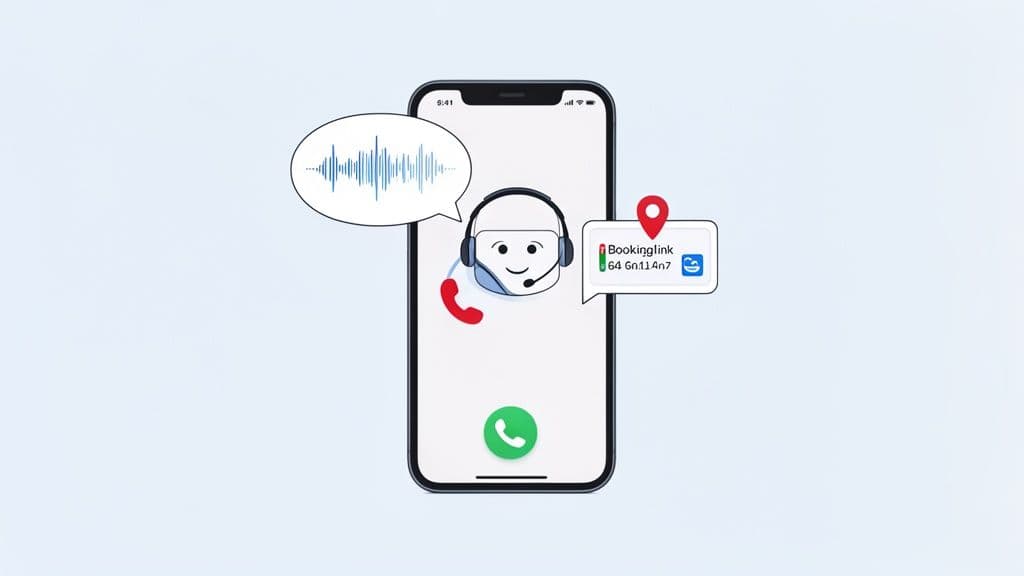
This is where an AI answering service like Cira fits in. It doesn't replace your field service software. It works with it, acting as your 24/7 receptionist. It makes sure every call from a new customer gets a good, helpful answer, no matter what you're doing.
Imagine this: you're on a roof finishing a repair. Your phone rings, but you can't answer. Instead of being a missed chance, Cira picks up.
Here’s what happens next:
- Answers Fast: Cira answers the call right away with a friendly voice.
- Asks Questions: It asks simple questions, like "What's your address?" or "Are you a new customer?"
- Books the Job: If the caller is in your area, Cira automatically texts them a link to your online calendar.
The customer picks a time that works for them, and the job shows up on your schedule. You never had to stop working. That’s how you turn a missed call into a new job.
How Cira Works With Your Other Tools
The best thing about a tool like this is how simple it is. It doesn't mess with your other tools. It makes them stronger by fixing the biggest leak in your sales: the first phone call. A field service software comparison helps you pick the best tool for managing your work. Cira helps you get the customer in the first place.
By handling every new call, an AI receptionist makes your whole business run better. It frees you and your team to do great work. You can be sure that new customers are being taken care of automatically.
This one tool changes your whole day. You can stop worrying about the phone ringing and focus on the job you are doing. You no longer have to choose between helping your current customer and answering a call from a new one. To learn more, you can read our guide on what an AI answering service can do for you.
A Smart Way to Grow Your Business
Just think about how many calls you might miss in one week. Even if it's only two or three, that could be thousands of dollars in lost money every month. Cira gives you a sure way to grab those chances. If you want to make things even smoother, you can learn about marketing automation for small businesses to keep in touch with those customers.
The goal is to build a system where your business runs like a smooth machine, even when you are not there. Using a strong field service tool with a smart AI receptionist creates a full system, from the first call to the final payment.
Common Questions About Field Service Software
Doing a field service software comparison brings up a lot of questions. Before you spend your money, you want to be sure you're making the right choice. Let's go over some of the most common things business owners ask.
Most owners worry about three things: the cost, how hard it is to learn, and if the software can grow with their business. Getting clear answers to these is the last step before you pick a tool that will really help your business.
How Much Does This Software Usually Cost?
The cost of field service software can be very different. But it usually follows one of two price models. Knowing how they work makes it easier to guess your monthly bill.
- Per-User Pricing: This is just what it sounds like. You pay a monthly fee for each person on your team who uses it. A common price is something like $49 per month** for the first user and then **$29 for each new person. This is great for small crews because your costs grow as your team grows.
- Tiered Pricing: With this model, you pick a plan—like Basic, Pro, or Advanced. Each plan includes a certain number of users and features. A Basic plan might give you scheduling for 2 users for $99 per month**. The Pro plan might give you more tools for **$199 per month.
My advice? Start with a cheaper plan. You can always move to a higher plan later when you are making more money.
How Hard Is It to Learn?
Let's be honest, no one has a spare week to learn a new, hard system. The good news is that most new software is made for busy people, not tech experts.
You should be able to get your basic info and customer list put in within a few hours. The best companies give a lot of help, from quick videos and guides to a real person you can talk to if you get stuck.
Look, the whole point of this software is to save you time, not give you a new full-time job. A good tool should feel easy to use on the first day, especially on the mobile app where your team will use it most.
Most owners find that the time they save from being organized is much more than the time it takes to set it up.
What If My Business Grows?
This is a great question. It shows you're planning for the future. You are not just trying to fix today's problems. You are building something to last. The last thing you want is a tool you will outgrow in a year.
Luckily, almost every field service tool is made to grow with you.
- Adding More Users: When you hire new workers, adding them to your account is usually easy. Your monthly bill will go up, but the software can handle a bigger team.
- Upgrading Your Plan: The day you need more tools, like better reports or marketing, you can usually switch to a higher plan without losing your data.
- Switching Platforms: And if you do so well that you outgrow your first software, moving your customer list and job history to a bigger system is normal. Most companies will help you export your data to make the change easy.
Picking a tool that can grow with you from the start means it will keep helping you for years.
Ready to Never Miss a Call?
7 days. Cancel anytime.
Let Cira answer your calls and book jobs while you work.