The 12 Best Apps for Contractors in 2026 to Run Your Business

The best apps for contractors in 2026 — scheduling, invoicing, project management, and client communication tools reviewed.
As a contractor, your time is your most important thing. It is easy to get busy with jobs, schedules, customer calls, and paperwork. This can pull you away from the work that makes you money. The right tools can help a lot. They can turn messy days into smooth, money-making ones. This guide will help you find those tools.
We made a list of the best apps for contractors to help you run every part of your business. These apps help from the first phone call to the last bill. Whether you work alone and miss calls on a ladder, or you have a growing team that needs to share schedules, the right app can save you hours of office work each week.
This article gets right to the point. We will look at top apps for:
- Scheduling and Dispatching: Keeping your team on time and organized.
- Estimating and Invoicing: Making good-looking quotes and getting paid faster.
- Team and Project Management: Seeing how work is going and working together.
- Customer Communication: See home repair call handling best practices and giving great service.
It is important to know about tools like see our best CRM for contractors picks. A guide to CRM software tailored for small businesses can help you learn more. Each app on our list is broken down with feature lists, prices, and honest pros and cons. We added pictures and links to help you see how each one works. This will help you find the best fit for your needs. Let’s get started.
1. Cira
Cira is a smart AI voice helper that solves a big problem for contractors: missed calls. When you're on a job, driving, or with a client, you can't always answer the phone. Cira see the contractor answering service guide, in a normal-sounding voice. This means you never lose a new customer to voicemail or another company. It works like a front desk, getting jobs for you while you do your work.
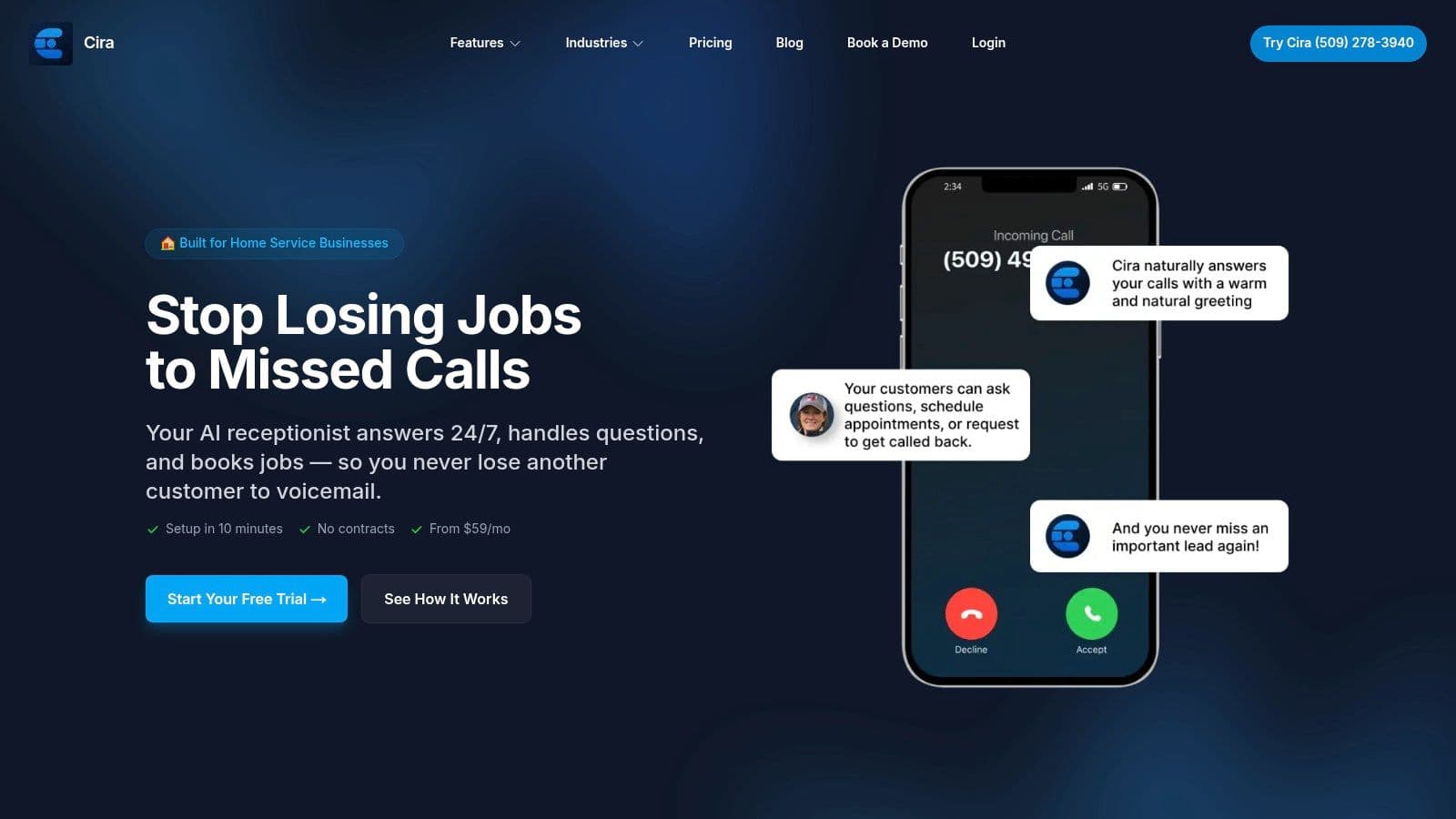
What makes Cira a top choice on our list of best apps for contractors is its easy setup. It is made just for trade workers. In less than 10 minutes, Cira can learn about your business from your Google Business Profile. It learns your services, hours, and work area. Then it starts handling calls right away. It can answer common questions, ask your own questions to see if a customer is a good fit, and even text your scheduling link. All call info, like recordings and short notes, are kept in a simple Call Inbox.
Key Features & Use Cases
- 24/7 Call Answering: Get new customers after hours, on weekends, or while you’re on another line.
- Intelligent Actions: Ask custom questions (like, "Is this for a home or a business?") and text your booking link to serious customers.
- Unified Call Inbox: See all call recordings, written words, and AI notes in one place to track customers.
- Bilingual Support: Helps both English and Spanish-speaking callers, which can get you more customers.
Pricing
Cira has simple, month-to-month plans with a 14-day free trial.
- Starter: $59/month for the main features, like unlimited minutes and speaking two languages.
- Scale: $159/month adds more features like connecting to your CRM and live call transfers.
Pros & Cons
| Pros | Cons |
|---|---|
| Always-on coverage with unlimited minutes. | AI may not handle very tricky or personal calls as well as a person. |
| Extremely fast setup that learns your business on its own. | Fancy features like CRM connection need the more expensive Scale plan. |
| Cost-effective compared to a human helper. | |
| Designed specifically for contractors and home service businesses. |
Cira offers a simple fix for a costly problem. For contractors who want to grow, it's a key tool that pays for itself fast.
Website: https://www.hicira.com
2. Apple App Store
For contractors who use iPhones and iPads, the Apple App Store is the main place to find tools. It's where you'll find, download, and manage the best apps for contractors. You can find everything from big project tools to simple gas mileage trackers. The store is safe, and payments are tied to your Apple ID.
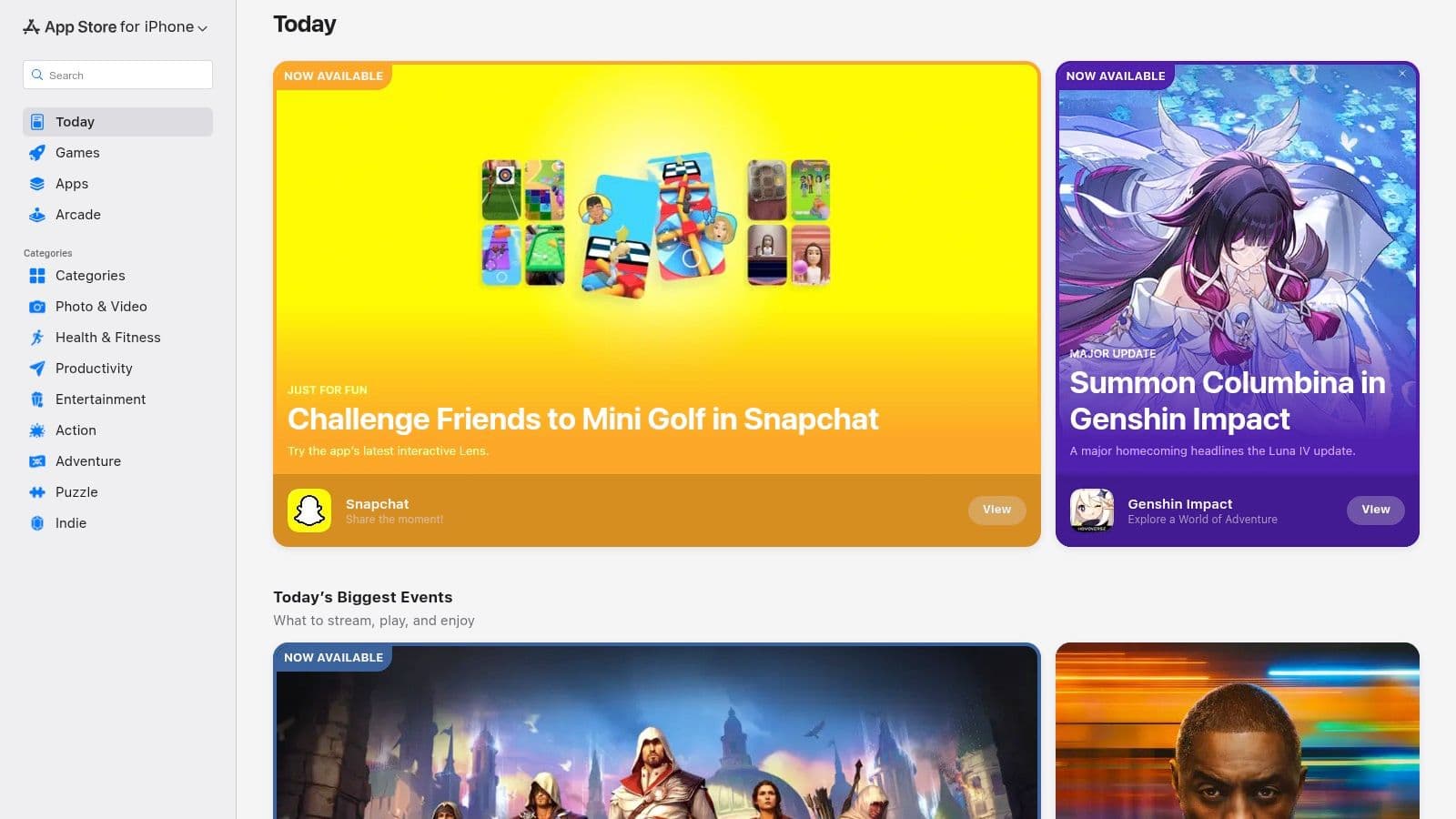
This makes it easy to manage apps for your team. All purchases and updates are in one spot. You can see user ratings, read reviews, and check if an app is still being updated before you get it.
Why It's a Go-To Resource
The App Store is great because it checks apps carefully. This usually means the apps are high-quality and work well. Contractors can count on them when they are on a job.
- Pros: Safe and trusted payment system; a huge number of apps that get updated a lot; easy to manage app payments for the whole company.
- Cons: No special "contractor" section, so you have to search; some apps don't show their full price until after you download them.
Practical Tip: Use clear search words like "construction daily log" or "plumbing invoice app" to find the best tools. Always look at the "In-App Purchases" section on an app's page to know the full cost.
Website: https://apps.apple.com
3. Google Play Store
For contractors whose teams use Android phones, the Google Play Store is the main place for business tools. It's the official spot to find and download the best apps for contractors. It has everything from big field service apps to simple photo editing tools. All payments are safe and managed through your Google account.
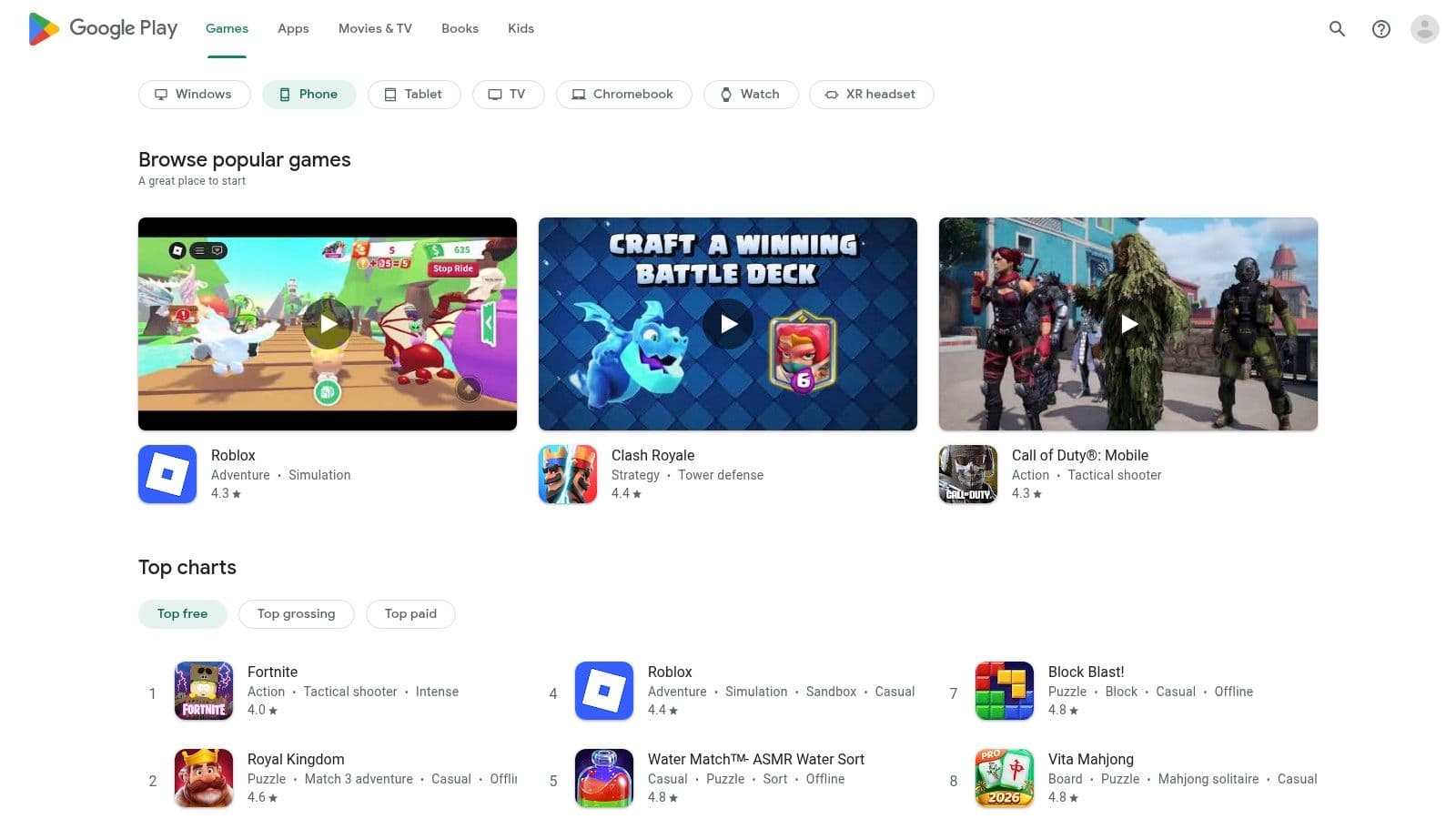
This system makes it easy to manage apps for your crew. All app downloads, updates, and payments happen in one place. You can see pictures, check for recent updates, and read user reviews to know if an app is good before you put it on company phones. Many apps for field work also work without internet, which is great for job sites with bad cell service.
Why It's a Go-To Resource
The Google Play Store gives you lots of choices. It works on a huge number of Android devices at different prices. This lets businesses give their teams phones without being stuck with one brand. It's a cheap and flexible way to find key contractor software.
- Pros: Wide choice of phones and prices; easy to install and update apps for your whole team; large number of apps.
- Cons: App quality can be very different, so you need to read ratings and check for recent updates; finding apps can be tricky sometimes.
Practical Tip: Before you download, always check the "Last updated" date on an app's page. An app that has not been updated in over a year might not work well. Also, read the newest user reviews to get a good idea of how the app works now.
Website: https://play.google.com
4. Jobber
Jobber is an all-in-one tool made for home service businesses like HVAC, plumbing, and landscaping. It puts all your main work in one place. It lets contractors manage quotes, schedules, jobs, bills, and payments from one screen. Its easy-to-use mobile app keeps workers in the field connected. They can see job details and update their work from anywhere.
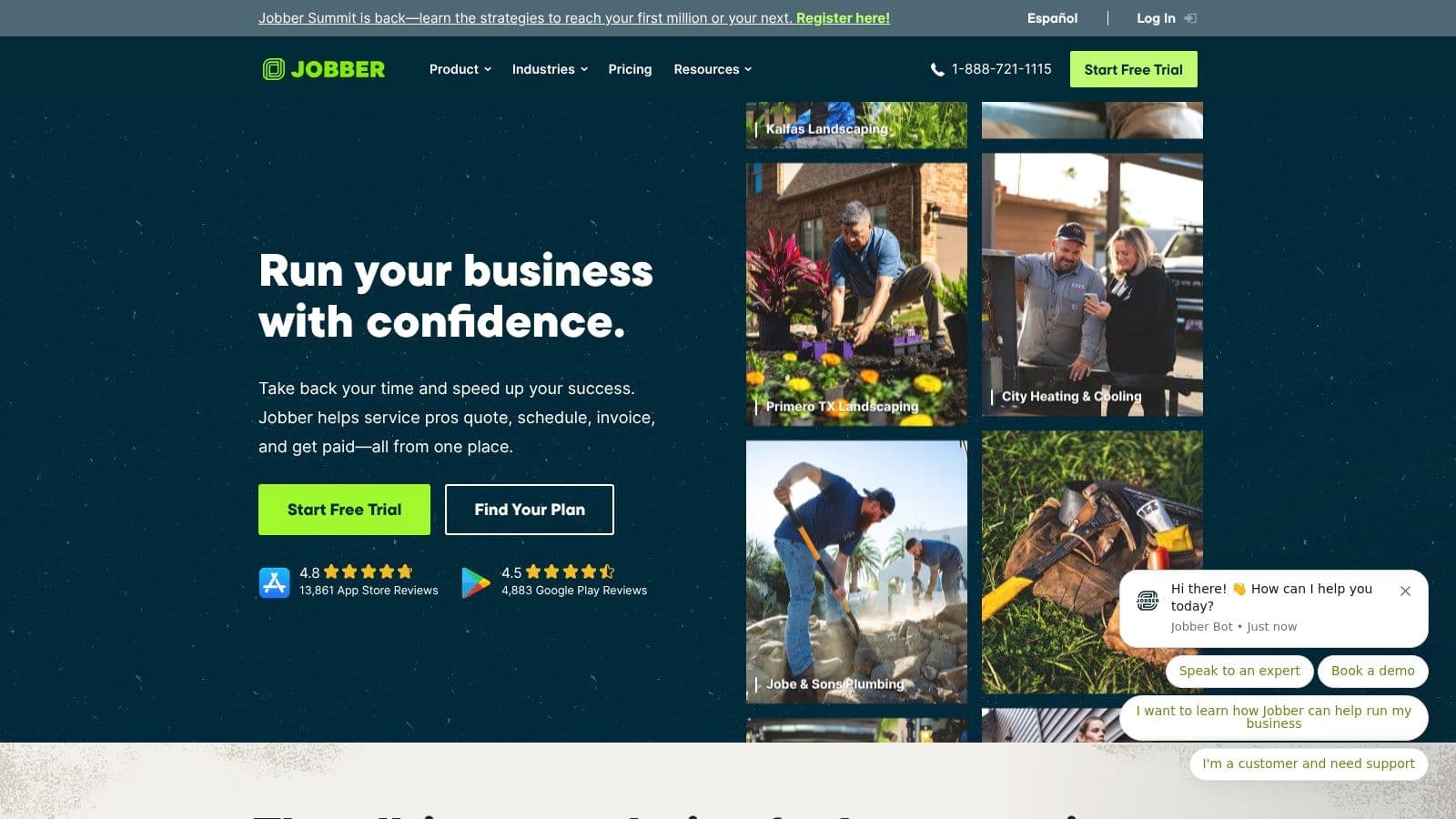
The app allows online booking and has a special page for customers to see their past services. It also works well with tools like QuickBooks Online. This makes Jobber one of the best apps for contractors who want to make their whole workflow easier, from the first call to the final payment. This is very helpful for general contractors who handle many projects.
Why It's a Go-To Resource
Jobber is great because it is simple and can grow with you. New teams can start using it quickly and not have to switch software later. The app is made for the real world of field service work. It focuses on features that save time and make talking to customers better.
- Pros: Easy to use and quick for new teams to learn; clear path to add more features as you grow; great mobile app for field staff.
- Cons: Adding more users can make the cheaper plans cost more; fancy reporting is only in the higher-priced plans.
Practical Tip: Use Jobber's online booking on your website to get new customers 24/7. This lets people ask for work and see when you are free, even when your office is closed. It turns website visitors into paying customers for you.
Website: https://getjobber.com
5. Housecall Pro
Housecall Pro is a field service tool made for home service businesses like HVAC, plumbing, and electrical. It works like an all-in-one control center. It joins scheduling and job assignments with money tools like estimates, bills, and payments. The mobile app gives workers in the field everything they need, from job details to a price list they can change.
This tool is great at making customer chats feel professional. It does this with automatic messages, online booking, and even postcard ads. Its payment system, which includes a feature for getting money faster, helps contractors have better cash flow. For businesses that want to make work easier from the first call to the final payment, Housecall Pro is one of the best apps for contractors.
Why It's a Go-To Resource
Housecall Pro is popular because it has a very easy-to-use mobile app that field workers can learn quickly. The tool is built around the whole service process. It makes it simple to manage jobs, talk to customers, and get paid without using a bunch of different apps.
- Pros: Great mobile app that many US trade workers use; lots of help guides and a ready-to-use price book to start fast.
- Cons: Prices are not clearly shown on the site, and the final cost can change; payment fees apply.
Practical Tip: Make full use of the price book you can change. Putting in your services, parts, and prices ahead of time will make your estimating and billing much faster in the field.
Website: https://www.housecallpro.com
6. ServiceTitan
ServiceTitan is a top-level, all-in-one tool for large home service contractors who want to grow. It’s a powerful tool for businesses in trades like HVAC, plumbing, and electrical. It helps them control every part of their work, from booking calls and sending out workers to managing price lists and seeing detailed reports. This system is made for companies with many workers and locations.

Unlike simpler apps for contractors, ServiceTitan gives you deep reports that help you track your business numbers, manage pay, and make smart choices. Its mobile app gives workers in the field everything they need. This includes customer history, mobile estimates, and bills. This ensures a professional job from start to finish.
Why It's a Go-To Resource
ServiceTitan is a top choice because it gives you a full operating system for a service business, not just one simple app. It connects the office and the field perfectly. This gives owners and managers a clear view and control over their whole business, which is needed for growth and making money.
- Pros: Powerful reports and control for larger businesses; made for companies with many workers and locations; works well with other business software.
- Cons: You have to ask for a price, and it can be expensive per user; it takes a lot of setup and training compared to simpler tools.
Practical Tip: Before you buy, ask for a detailed demo that focuses on your specific trade. Make sure you understand the setup process and training time to be sure your team is ready for such a big system.
Website: https://www.servicetitan.com
7. FieldPulse
FieldPulse is a full field service software made to help contractors run their whole business from one place. It brings together important tasks like customer management (CRM), scheduling, estimates, and billing into one system. You can use it on powerful iOS and Android apps. This means less time jumping between different tools and more time doing the actual job.
The tool is made to grow with your business. It offers different plans that add more features as you need them. From a one-person team to a large company, you can add things like automatic workflows, a customer webpage, and even a phone system to take calls and texts right in the app. It also works very well with QuickBooks, which makes accounting simple.
Why It's a Go-To Resource
FieldPulse is a great choice because it is flexible and can grow with you. It is not a one-size-fits-all tool. It lets businesses start with the main features and add more tools as they get bigger. Their good customer support helps new users get started quickly. This makes it one of the easier yet powerful apps for contractors.
- Pros: Flexible options that can grow with the business; helpful setup and support; all-in-one tool for CRM, scheduling, and billing.
- Cons: Prices for the higher plans are not listed online; many advanced features are only in the more expensive plans.
Practical Tip: When you look at FieldPulse, ask for a demo that shows your specific trade. Ask the sales team to show you exactly how the special features, like the phone system, could save your team time every day.
Website: https://www.fieldpulse.com
8. Buildertrend
Buildertrend is a big project management tool made for people who build homes, like builders and remodelers. It puts every part of the building process into one system. This all-in-one tool helps manage schedules, client choices, money, changes to the plan, and talking with everyone in one place.
The tool is made to make hard jobs easier. These jobs often mean working with many other contractors, suppliers, and clients. Features like the client webpage and built-in messaging help everyone stay on the same page. This means fewer mistakes and costly problems. With its strong mobile app, your team can see project details right from the job site.
Why It's a Go-To Resource
Buildertrend is great at keeping all talk and papers in one place for big home projects. Its strength is connecting the office, the field team, and the homeowner. This is very important for custom builders and remodelers. Being able to manage money, schedules, and client talks together makes it one of the best apps for contractors with hard jobs.
- Pros: All-in-one tool for home builders; great for working with clients and other contractors; all plans let you have unlimited users.
- Cons: You have to ask for a price, and it can be costly for small companies; it might be too much for simple jobs or single contractors.
Practical Tip: Use the client webpage a lot to write down all choices and changes. This creates a clear digital record that protects you from arguments and keeps homeowners in the loop.
Website: https://www.buildertrend.com
9. Procore
Procore is a large-scale construction management tool built for big business and home projects. It connects everyone, from the main contractor to other workers and owners, on one system. The tool offers a full set of tools that manage everything from first bids to finishing the project. This makes it a powerful choice for hard jobs.
Unlike apps made for smaller service calls, Procore handles the heavy work of construction management. It has sections for questions, papers, drawings, and money. It allows unlimited users, which is great for big teams where working together is key. The tool also has a large store of other apps you can connect it with.
Why It's a Go-To Resource
Procore is a top choice because it is very deep and can be the one place for all information on a project. It sets up the same process for quality and safety. This lowers risk and makes talking easier for main contractors who manage many teams and project steps.
- Pros: Unlimited users is great for bringing everyone into one system; deep features cover the whole project from start to finish.
- Cons: You have to ask for a price, and it can be costly for small companies; the price often depends on how much work you do each year, so you need to talk to sales.
Practical Tip: If you're a smaller contractor, focus on the parts of Procore that solve your biggest problems. You don't need to use the whole thing at once. Also, use their many training guides to help your team learn the system.
Website: https://www.procore.com
10. CompanyCam
CompanyCam is a job site photo and video app made for contractors. It makes it easy for crews to take, sort, and share pictures of their work. Every picture is automatically marked with the time, date, and location. It is then saved to the right project folder in the cloud. This creates a neat and searchable photo timeline for every job.
The app gives you unlimited cloud storage, so you never have to worry about running out of space on your phone. Contractors can make nice-looking photo reports, create before-and-after pictures, and use AI tools for short notes. It also works well with many other popular contractor apps.
Why It's a Go-To Resource
CompanyCam is great at giving clear photo proof. This protects contractors from problems and makes talking with clients and insurance people better. Its speed and simple design make it one of the best apps for contractors. It helps field teams take pictures of their work without slowing them down.
- Pros: Very fast photo taking and automatic sorting by project; unlimited cloud storage and clear prices; great for making before-and-after pictures and detailed reports.
- Cons: It is mostly for photos, so you need to use it with other software for scheduling or billing; fancy AI reporting features are in higher-priced plans.
Practical Tip: Use the project templates feature to make checklists for your crew to follow with their photos. This helps you get the same kind of photos on every job, from how the site looks before work to the final cleanup.
Website: https://www.companycam.com
11. QuickBooks Time (formerly TSheets)
For contractors who need a simple but strong way to track employee hours, QuickBooks Time is a top choice. It's a special tool for tracking time and making schedules. It gives business owners a clear view of where their team is and what they are working on. The main goal is to get rid of paper timesheets and make paying workers faster and more correct, especially for teams in the field.
With mobile time clocks, GPS tracking, and job codes, you can see exactly how much time is spent on each task or project. This information connects perfectly with QuickBooks Online. This makes it easier to go from hours worked to correct paychecks and bills. It connects what happens in the field with the money work in the office.
Why It's a Go-To Resource
QuickBooks Time is great because it works so well with QuickBooks. This makes it a natural choice for any contractor already using their accounting software. It works well and has an easy-to-use mobile app. This means field crews will actually use it, which is key for getting correct information.
- Pros: Works very well with QuickBooks for easy payroll; easy to start using for both office and field teams; correct GPS tracking and job cost features.
- Cons: The main fee plus cost per user can be a lot for very small teams; fancy features like tracking mileage need a higher-priced plan.
Practical Tip: Use the job codes feature to track time for different parts of a project. This gives you great information for future estimates. It helps you see which parts of a job make the most and least money.
Website: https://quickbooks.intuit.com/time-tracking
12. Capterra
Capterra is a huge software store where contractors can find, compare, and learn about business tools for free. It’s like a digital catalog just for software. This makes it a great first stop when you're looking for the best apps for contractors but don't know where to start. The site has big sections like Field Service Management and Construction Management, with hundreds of choices.
You can use its strong filters to find choices by your company size, needed features, and price. Detailed buyer guides and side-by-side comparison tools help you make a smart choice based on real user reviews and feature lists.
Why It's a Go-To Resource
Capterra is great at making a hard software search simple. Instead of going to dozens of websites, you can make a short list of top choices in minutes. Its real user reviews give you an idea of how an app really works on the job.
- Pros: Fast way to find tools by price and features; a neutral store with many apps for contractors; real reviews offer honest user feedback.
- Cons: Paid ads may show up first, so you should read reviews carefully; you should always check prices and features with the software companies themselves.
Practical Tip: Use the "Compare" feature to see up to four apps side-by-side. Look for the "Verified Reviewer" badge to be sure you're reading from a real user, not just an ad.
Website: https://www.capterra.com/field-service-management-software
Top 12 Contractor Apps — Features & Pricing
| Product | Core features | UX / Quality | Value & Pricing | Best for / Unique selling point |
|---|---|---|---|---|
| Cira (recommended) | AI 24/7 voice receptionist; answers calls, FAQs, custom qualifiers, SMS scheduling, books appointments; Call Inbox (recordings, transcripts, summaries); bilingual EN–ES | Natural, humanlike voice; <10‑min setup; unified inbox; spam filtering; reporting | Starter $59/mo, Scale $159/mo; unlimited minutes; 14‑day free trial; month-to-month; fast ROI | Home‑service contractors & solo techs; low-cost alternative to receptionist; books jobs and recovers lost revenue |
| Apple App Store | iOS/iPadOS app marketplace; ratings, reviews, in‑app purchases | Curated pages; trusted payments & refunds | Free to browse; app subscriptions managed via Apple ID | iPhone/iPad fleets; discover contractor apps for field use |
| Google Play Store | Android app marketplace; ratings, screenshots, changelogs; wide device support | Broad device compatibility; many apps with offline support | Free to browse; subscriptions via Google account | Android fleets and mixed-device crews; scalable installs via managed accounts |
| Jobber | Quotes, scheduling/dispatch, invoicing, payments; mobile app; QuickBooks integration | Strong usability; fast onboarding | Tiered pricing (public tiers); add‑on users can raise cost | Small→growing home‑service teams; clear upgrade path |
| Housecall Pro | Scheduling/dispatch, estimates/invoices, online booking, payments, GPS | Robust mobile apps; industry price book & templates | Tiered plans (pricing not fully public); payment/Instapay fees apply | Widely adopted by U.S. trades; strong mobile & customer notifications |
| ServiceTitan | Call booking, dispatch, pricebook, advanced reporting, payroll/commissions; per‑tech licensing | Enterprise-grade analytics & controls | Quote-based; expensive per technician; higher implementation cost | Multi‑tech, multi‑location contractors scaling operations |
| FieldPulse | CRM, scheduling, estimates/invoices, automations, QuickBooks sync; optional VoIP | Flexible workflows; helpful onboarding | Tiered packages; some quote-based tiers; add‑ons available | SMBs wanting modular FSM + communications add-ons |
| Buildertrend | Project scheduling, selections, budgets, change orders, client portal | Collaboration-friendly; unlimited users | Quote-based; can be costly for very small firms | Remodelers and builders coordinating subs and clients |
| Procore | RFIs, submittals, drawings, quality, safety, financials; integrations | Deep functionality; training & certification resources | Quote-based; often annual contracts; higher TCO for small firms | Large commercial & residential builders needing end‑to‑end project control |
| CompanyCam | Jobsite photo/video capture, unlimited cloud storage, PDF reports, AI summaries | Very fast capture & organization; clear pricing | Published pricing; easy to scale users | Visual documentation specialists; pairs well with FSM/CRM |
| QuickBooks Time | Mobile time clocks, timesheets, GPS/geofencing, job codes, reporting; QB integration | Strong QuickBooks sync; straightforward rollout | Base fee + per‑user pricing; tiered advanced features | Field teams needing accurate time, job costing and payroll sync |
| Capterra | Software marketplace: category pages, buyer guides, filters, verified reviews | Neutral comparisons; buyer guides and filters | Free to use; sponsored listings may influence ranking | Shortlisting tools by budget/feature; broad marketplace for contractor apps |
Choose the Right App, Win More Jobs
Choosing the right tools for your business is a big deal. We've looked at many of the best apps for contractors, from big all-in-one apps like ServiceTitan and Jobber to special tools like CompanyCam for photos. The goal is not to use every app on this list. The goal is to build a smart, simple set of tools that works for you.
Your business is special. A single plumber has different needs than a large roofing company with many crews. The right software helps you stop wasting time on paperwork and start focusing on the work that makes you money. It helps you look professional, talk clearly, and earn your customers' trust.
Your Next Steps: Building Your Perfect App Toolkit
So, what should you do now? Don't feel lost with all the choices. Follow these simple steps to find what's right for you.
- Find Your Biggest Problem: What is the one thing that gives you the biggest headache in your business? Is it missed calls and lost customers? Messy schedules? Slow billing? Start by fixing your worst problem first. If phone calls are your weak spot, a tool like Cira can help right away by catching new customers you would otherwise miss.
- Start Small with Free Trials: Almost every app we talked about has a free trial or a demo. Use them! Pick two or three top choices and try them for a week. See which one is easiest for you and your team to use. Don't agree to a year-long plan until you're sure it works for you.
- Think About Your Team: The best app is one your team will actually use. If you have crew members who are not good with hard tech, choose a tool that is simple and clean. Ask them what they think during the trial. A powerful tool that no one uses is worthless.
Key Factors for a Smart Decision
As you compare your choices, keep these important points in mind. They will help you pick the great apps from the good ones.
- Ease of Use: Can you figure out the basics in 15 minutes? If the app is confusing from the start, it will just make more work for you later.
- Customer Support: When something goes wrong (and it will), can you get a real person on the phone or chat quickly? Good support is a must. Check reviews on sites like Capterra to see what real users say about the support team.
- Integration: Do the apps work with each other? For example, does your field service app connect with your money software like QuickBooks? A connected system saves you from typing the same info over and over.
- Safety and Compliance: Your digital tools should also help keep work safe. Besides just managing jobs, it is smart to think about choosing effective workplace health and safety apps that fit right into how you work.
The Bottom Line: Technology is Your Best Helper
The days of running a contracting business from a messy clipboard and a notebook are over. Your competition is using technology to work faster, look more professional, and give better customer service. The best apps for contractors are not just fancy extras; they are key tools to stay in business and grow.
By taking the time to choose the right software, you are investing in your business's future. You are buying back your time, lowering stress, and building a stronger, more profitable company. Start with one small change today, and you'll be amazed at the difference it makes.
Ready to Never Miss a Call?
7 days. Cancel anytime.
Let Cira answer your calls and book jobs while you work.