A Contractor's Guide to Call Forwarding Options
When you're a busy contractor, a missed call is a lost job. Your call forwarding options are not just a phone feature. They are a tool that helps you get new work. It can be the difference between landing a big project or losing it to a competitor who answered the phone.
Why Call Forwarding Is So Important
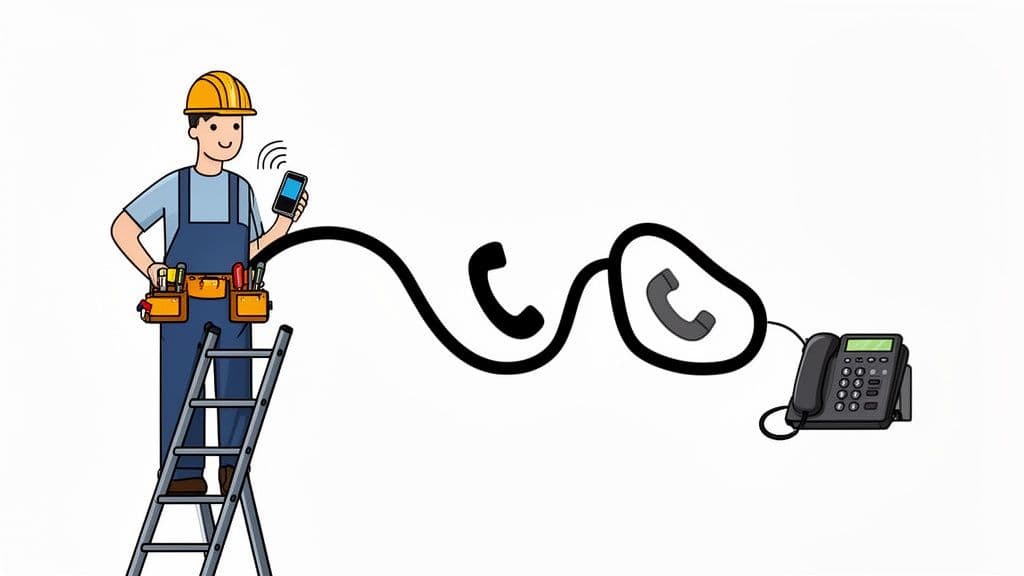
If you're a plumber, electrician, or roofer, you work on-site, not in an office. You have to use tools, manage your team, and talk to clients. There's no time to answer every call. But when a customer needs help, they won't wait. They will call the next person on their list.
This makes it hard to do your job and find the next one. Every missed call is a risk. Was it a sales call or a big new job? If you can't handle your calls well, you lose money every day.
Finding a Good Way to Handle Missed Calls
The good news is that new tools can solve this problem. The hard part is picking the right one for your needs and budget. For contractors, even a small change can help a lot. Most contractors are on a job site most of the time.
Smart call forwarding can make a big difference. It can send a call to another phone only if you are busy. This has been shown to help businesses lose less money. You can learn more about how call centers improve business operations.
The main idea is simple: your phone should help you, not hurt you. A good setup makes sure you never miss a new job, even when you're busy.
This guide will show you the different call forwarding options available. We will look at simple tools from your phone company and smart AI helpers. We will explain the good parts, bad parts, and costs of each one. By the end, you’ll know what system will help your business grow.
Your Call Forwarding Options: A Quick Guide
Before you pick a way to forward calls, you need to know your choices. The options are much better now than they used to be. Knowing the difference is the first step to never missing a client call again.
Let's look at the main ways to handle call forwarding. Each one solves a different problem. Some are simple and free. Others are powerful systems that can act like a helper for your front desk.
1. Basic Carrier Forwarding
This is the simple choice you get from your phone company, like AT&T or Verizon. You use a special code (like *72) or a setting on your phone. This sends all of your calls to another number. When you turn it on, every call goes to that number until you turn it off.
- How it works: Your phone company sends the call to the new number. Your phone doesn't even ring.
- Best for: A single contractor who needs a quick, short-term fix. For example, sending calls to your partner's phone while you're at a noisy job for a few hours.
The biggest problem? It's not very smart. It can't tell if you're busy or just not answering. It also sends spam calls along with the important ones.
2. Google Voice and Voicemail Forwarding
Services like Google Voice give you a new business number for free. You can set it up to ring many phones at once. Or, it can send callers right to a smart voicemail. This is a great way to keep your work and personal calls apart without needing two phones.
You have more control than with basic forwarding. For example, you can make rules for where to send calls based on the time of day.
A great feature is call screening. Google Voice can ask who is calling before it connects you. This is a good way to stop sales calls before you even say hello.
3. VoIP and PBX Systems
VoIP (Voice over Internet Protocol) is a full phone system that uses your internet. It's like having a pro office phone setup without all the big equipment. These systems have great call forwarding options like "find me/follow me." This can try your desk phone, then your cell phone, then another number, one after the other.
A PBX (Private Branch Exchange) is the "brain" that handles all the call rules. This is good for small teams. You can send calls to a certain worker based on who is on call or what they do.
4. AI Answering and Virtual Receptionists
This is where things get really cool. New services like Cira act as a smart, 24/7 helper for your business. An AI can talk to the customer, answer common questions, and see if they are a good lead. It can even book a meeting on your calendar.
This tool doesn’t just forward calls—it handles them for you. It makes sure every caller gets a quick, professional answer. It saves all the key details so you can call them back when you're free. It's like having a great employee for a much lower cost.
Comparing Call Forwarding Methods Head-to-Head
Now you know the different types. Let's see how they compare in the real world. Picking the right call forwarding option isn't just about the fancy features. It's about finding one that solves your biggest problems as a busy contractor. Those problems are lost jobs and too many interruptions.
We’ll compare these choices based on what matters most: how much they cost, how easy they are to start, how well they work, and what they say about your business.
Cost and Value: What Are You Really Paying For?
The price for call forwarding can be free or cost a lot each month. But the cheapest choice is not always the best value. Think about what one missed job costs you. If a simple tool helps you get just one more project a month, it has paid for itself.
Let's look at the costs:
- Basic Carrier Forwarding: This is usually free with your phone plan. The cost is not in money, but in lost chances. Every spam call it sends wastes your time. And you will still miss calls from real customers.
- Google Voice: Also free for personal use. It's a big step up. It gives you a business number and screens calls. The problem? You still have to answer the phone, which isn't always possible.
- VoIP/PBX Systems: These usually cost $20 to $50 per user per month. This is a great value for small teams that need to send calls to different people. You get a full phone system, not just a simple forward.
- AI Answering Services: Services like Cira usually start at $50 to $150 per month. It might seem like more money, but the value is huge. It's like hiring a full-time helper for a small part of the cost. It makes sure every call is answered well, 24/7.
The key is to think about the monthly fee and what you get back. If an AI helper gets you one big job you would have missed, it could pay for itself for the whole year.
Setup Simplicity: How Quickly Can You Get Started?
As a contractor, you don't have time for hard-to-use software. You need a setup that is quick and easy so you can get back to work.
Scenario A: The Plumber in the Basement Imagine you're a plumber going into a basement with no cell service. You need to send calls to your partner right now.
- With basic carrier forwarding, you just dial
*72and their number. It takes about 10 seconds. It’s fast, but you have to remember to turn it off later. - Using an AI receptionist is even easier because you don't do anything. It’s always on, ready to take calls if you have service or not. No codes to remember, no settings to change. You just know your calls are being handled.
For contractors with more complex needs, some services give you more control. For example, if you want to find the best way to get calls to your team's phones, there are special ways to do it. You can learn more in our guide on how to redirect calls to a mobile phone.
On-Site Reliability: Will It Work When It Matters Most?
Your call forwarding has to work every time. This is very important when you’re on a noisy job or in a place with bad cell service. If a customer calls and gets a busy signal, they are not calling you back. They're calling your competition.
Here’s how the options work in the field:
- Carrier Forwarding: This is very reliable because it works at the network level. But the phone it sends calls to still needs a good signal.
- Google Voice: This uses your internet or data. If your data signal is weak, the call might sound bad or not come through at all.
- VoIP Systems: Like Google Voice, these need a good internet connection. They work well in an office but can be less reliable for workers who are always moving.
- AI Receptionists: This is the most reliable choice for contractors. The AI answers the call in the cloud, so your cell service doesn't matter. The system gets the caller's info every time. You get a message to check when you have good service again.
Businesses have been moving toward automation for years. Today, smart forwarding can help contractors book 25% more jobs. In the future, it is expected that 60% of the $496 billion call center market will be automated.
Professionalism: What Impression Are You Making?
First impressions mean everything. How a customer feels when they first call you can shape your whole business relationship. A bad call experience can send that customer to someone else.
Scenario B: The Homeowner Needing an Urgent Quote A homeowner needs an electrician for a quick job. They find your number and call. What happens next?
- Basic Forwarding: The call rings your cell phone. You answer while you’re on a ladder with a loud drill in the background. You sound busy and are hard to hear. This does not make you seem professional.
- Google Voice: The call goes to your voicemail. The homeowner hears a plain message, hangs up, and calls someone else.
- AI Receptionist: The call is answered right away with a professional greeting: "Thank you for calling Mike's Electric. How can we help you today?" The AI can answer questions, text a link to book a meeting, and promise a quick call back. This makes your business look good from the very start.
The difference is huge. A great system doesn't just forward a call; it manages the customer for you. This makes every caller feel important.
Call Forwarding Options at a Glance
To make this even easier, here’s a table that compares these options. This should help you find the best fit for your needs.
| Forwarding Method | Typical Monthly Cost | Best For | Key Limitation |
|---|---|---|---|
| Basic Carrier Forwarding | Free | Quick, short-term call changes when you can't answer. | Not smart; forwards all calls, including spam, and must be turned on and off by hand. |
| Google Voice | Free | Single workers who need a business number and simple call screening. | Needs you to be free to answer and have a good data signal. |
| VoIP/PBX System | $20 - $50 per user | Small teams that need to send calls to different workers or an office. | Needs a strong internet signal, which is not great for work on the go. |
| AI Receptionist (like Cira) | $50 - $150 | Contractors who want to get every new job and automate booking without hiring staff. | Higher monthly cost, but helps you earn much more by handling calls for you 24/7. |
The right choice depends on what you value most—the lowest price, the easiest setup, or the most professional and reliable service for your customers. For a contractor who needs to get every new job, a system that makes sure no call is ever missed is a very smart choice.
Picking the Right Call Forwarding for Your Business
There is no "best" call forwarding option for everyone. The right choice depends on your business today and where you want it to go. What works for a new solo contractor won't be enough for a growing team.
If you pick the wrong setup, you can get stuck missing calls and losing money. But when you match your call system to your business, you can catch every chance that comes your way. Let's look at a few common situations to help you find the perfect fit.
This chart gives you a quick visual guide to see which call forwarding options might be the best match for what you need right now.
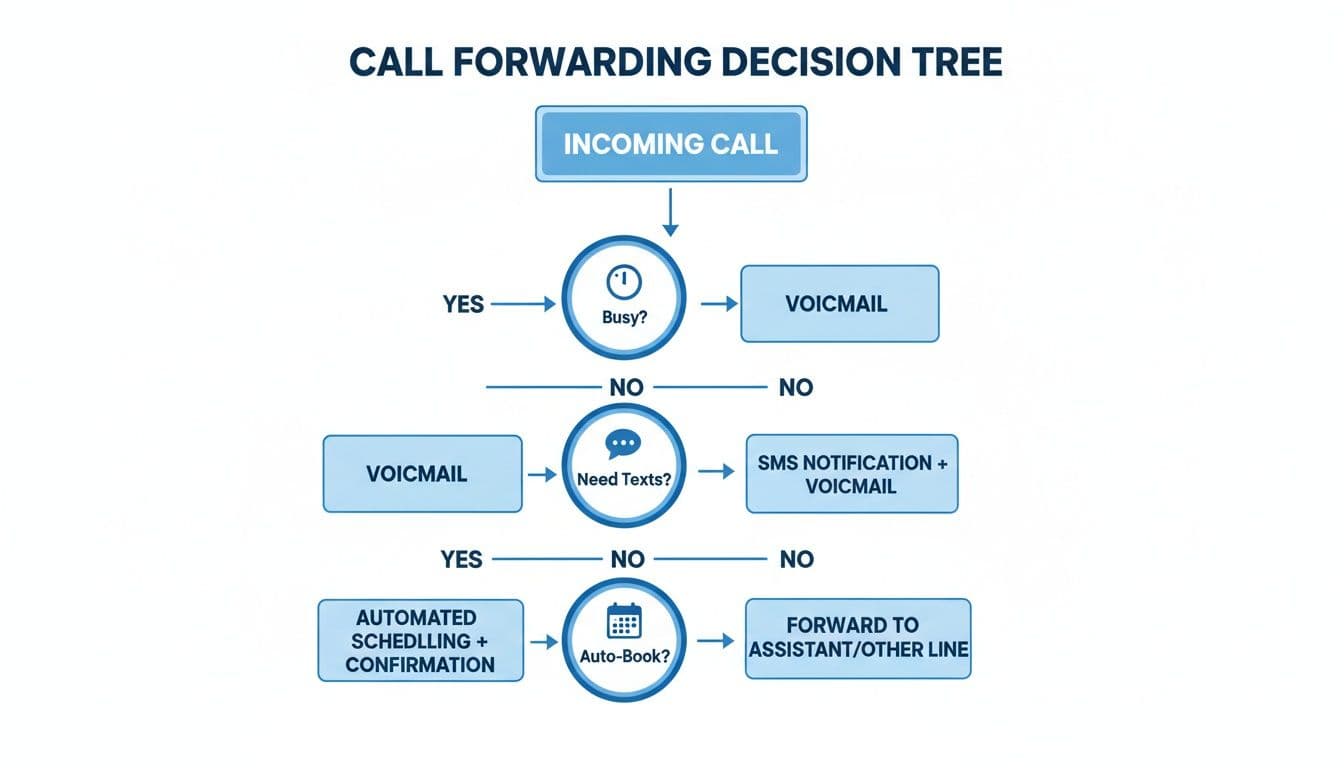
As you can see, the choice often comes down to how much help you need to save time and get new customers.
For the Solo Contractor Just Starting Out
When you are a one-person business, every dollar and minute counts. Your biggest problem is just being free to answer the phone while you are working. You don't need a complex system yet. You just need something you can count on.
- Your Main Problem: You're on a ladder or under a sink and can't answer your phone.
- Best Solution: Basic Carrier Forwarding or Google Voice.
These tools are usually free and do the job simply. You can forward your work calls to your personal phone. Or you can have a partner take calls for a few hours. Google Voice is a great step up. It gives you a separate business number to keep work and personal life apart.
Just remember, these options still need someone to be free to answer. They send the call to another phone, but they don't solve the main problem of you being busy. They’re a good start, but not a long-term plan for growth.
Key Insight: At this stage, your goal is to stay in business. A simple forward keeps calls from going to voicemail. New customers often won't leave a message; they just want a quick answer.
For the Overwhelmed Contractor with a Constantly Ringing Phone
Your business is growing, which is good. The bad news? Your phone never stops ringing. You know why you're missing more calls than you're answering. You're losing good jobs but don't want to hire a full-time office person yet.
- Your Main Problem: You have too many calls to handle on your own. Your voicemail is a mess.
- Best Solution: An AI Answering Service.
This is the perfect middle ground. An AI receptionist, like Cira, acts as your virtual front desk. It answers 100% of your calls 24/7 with a professional greeting. It asks smart questions to find good leads. It can even book jobs right into your calendar.
This lets you focus on your work, knowing that new leads are being handled well. It’s like having a call center's help without the high price. For example, if a caller needs your price list, the AI can text them a link right away. You can also get call recordings sent to your email. We explain this in our guide on how to forward voicemail to email.
For the Small Crew Managing Multiple Technicians
Once you have a team, your problems change. Now, you need to get the right call to the right person, fast. A homeowner with a burst pipe shouldn't have to wait for you to find your on-call plumber.
- Your Main Problem: You need to send calls to different team members based on their schedule, location, or skill.
- Best Solution: A VoIP/PBX System.
A VoIP system gives you professional call routing tools that used to be only for big companies. You can create smart rules to send calls exactly where they need to go.
For instance, you can set up a "call cascade." This rings one worker's phone, then automatically tries the next if the first doesn't answer. You can also create different numbers for different services (like "Press 1 for emergency repairs"). This makes your business seem bigger and more organized. It builds customer trust and makes your team work better.
The Smartest Setup for Solo Contractors and Small Crews
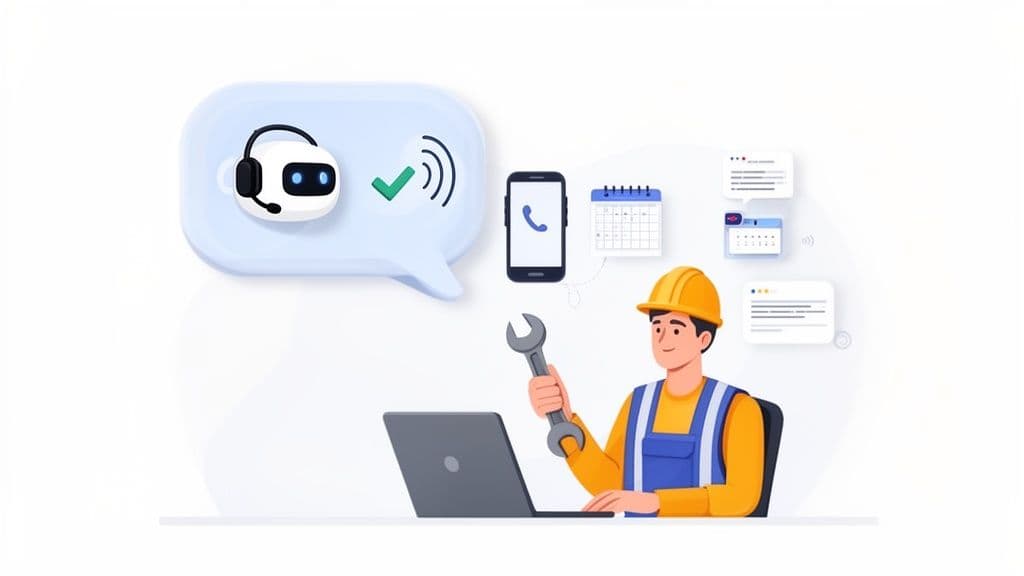
If you're a solo contractor or run a small crew, your phone system needs to do more than just send a call to another number. The smartest call forwarding options today use tools like an AI receptionist. Think of it as an investment that pays for itself. It can do this by getting you just one extra job you would have missed.
These tools are made for the busy life of a contractor. While you’re on a roof or under a sink, a smart system can be your partner. It makes sure every caller gets a fast, professional response.
More Than Just Answering Calls
So, what makes an AI receptionist so great? It’s what it does after the call connects. These systems are smart enough to find new leads by asking the right questions. They can separate serious customers from people who are just looking.
Even better, they can instantly text the caller a link to your online booking calendar or a form to ask for a price. That simple follow-up keeps the customer interested. It helps turn a potential customer into a paying one, even when you can't get to your phone.
An AI receptionist makes sure no new job gets lost. It provides a good, professional experience that builds trust from the first call. This helps turn more of those calls into paying customers.
What This Looks Like in the Real World
A smart answering service gives you the kind of power that used to be just for big companies. It’s all about making your life easier and your business better.
Here’s how it works day-to-day:
- You're Always Open: Your business is open 24/7. It can handle an after-hours emergency call or a weekend question without waking you up.
- Automatic Lead Vetting: The system asks callers what they need. It filters out spam and gets important details before you need to do anything.
- Hands-Free Booking: It can connect to your work calendar. It lets good customers book appointments right then and there, filling your schedule for you.
This kind of setup is great for contractors who are always on the move, like roofers, plumbers, or cleaners. For example, using smart call forwarding for after-hours calls can help you get 35% more jobs that you would have lost.
This is very different from old phone systems. A smart system manages all these call forwarding options for you. It turns every call into a real business opportunity. You can see how these systems work in our guide on the benefits of an AI phone answering service. It’s a tool that lets you focus on your job, knowing that your business is running well in the background.
Common Questions About Call Forwarding
Even with a clear plan, you probably still have a few questions about the different call forwarding options. Getting the details straight is key to feeling good about your choice. Let's answer some of the most common things contractors ask.
We’ll stick to simple, direct answers to help clear things up.
How Hard Is It to Set Up Call Forwarding?
The setup depends on which choice you make. Basic carrier forwarding is as easy as it gets. You just dial a code like *72 from your phone, and you're done in less than a minute.
A service like Google Voice takes a bit more time. It might take 15 to 20 minutes to create your account and choose your settings. Even smarter tools, like an AI receptionist, are made to be quick to set up. You can get a service like Cira working in under 10 minutes. You usually just connect it to your online business profile. The point is that new tools are built for business owners, not tech experts.
Can I Forward Calls to More Than One Phone?
Yes, but this is where the simple options are not enough. Basic carrier forwarding only sends calls to one other number. For a growing business, that’s a big problem.
This is a very important difference. Smarter call forwarding options like VoIP systems and Google Voice can do "simultaneous ringing." This one feature can be a game-changer. It lets you ring your cell phone, your office phone, and maybe your partner's phone all at the same time. The first person to answer takes the call.
What Is the Difference Between Call Forwarding and an Answering Service?
This is a really important thing to understand. Call forwarding just sends a ringing phone from one place to another. It doesn't actually answer anything. It just passes the call to someone else. You still have to make sure that call gets answered.
An answering service, especially one with AI, does a lot more. It picks up the phone for you with a professional greeting. Then, it can do things like:
- Answer common questions.
- Find out if a caller is a serious customer.
- Book a meeting right on your calendar.
- Send a follow-up text with a link to your website.
Here’s an easy way to think about it: call forwarding is like asking the post office to send your mail to a new address. An answering service is like having a helper at a front desk who sorts your mail, answers questions, and schedules your meetings. One is a simple tool to send calls somewhere else; the other is a complete solution.
Ready to Never Miss a Call?
7 days. Cancel anytime.
Let Cira answer your calls and book jobs while you work.