Voicemails to Email: A Guide to Never Miss Another Job
Sending your voicemails to your email is an easy way to keep track of messages. Instead of calling a number and typing a code, your voicemails show up in your email. They come as a sound file you can listen to and often as text you can read.
You get a notice just like any other email. This lets you listen or read the message when you have time. This small change can be a big deal. It can help you get a job instead of losing it to someone else.
Why Voicemail-to-Email Is a Game Changer
Let's be honest. You are a contractor, maybe up on a ladder at a noisy job site. Your phone rings, but you cannot answer it. By the time you get down, pack up, and check your voicemail, that person has already called three other people.
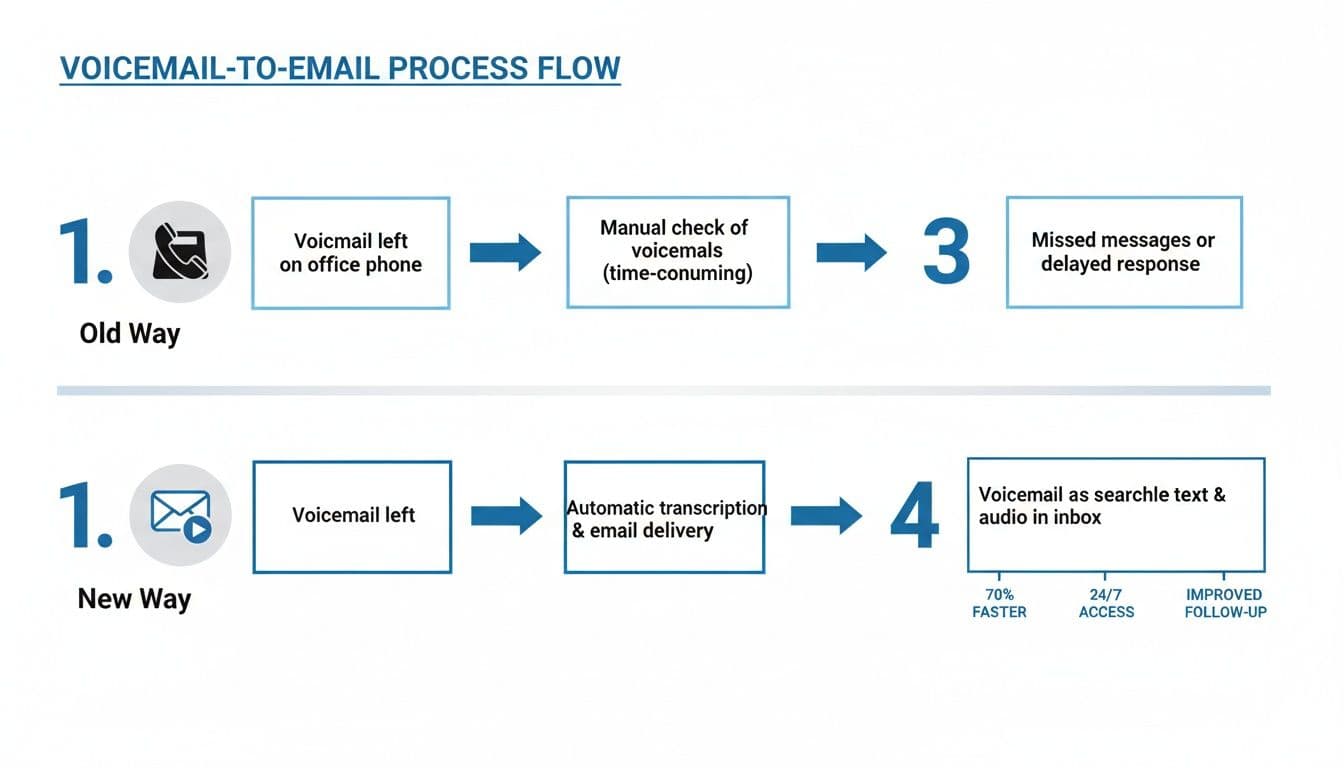
I have seen this happen many times. This is where setting up voicemail-to-email helps. It changes how you handle missed calls. It moves them from an old, slow system to a new, fast one. Your messages go right to your email inbox, where you are already looking.
A Smarter Way to Handle Missed Calls
This is more than just getting a sound file. Most services also send the message as text. In just a few seconds, you can look at the email. You can see if it is a new client with a big problem or just a sales call. This lets you decide who to call back first without stopping your work.
This simple change can have a big impact on your day and help you get more business.
- Faster Response Times: See messages as soon as they arrive. Decide right away who needs a call back.
- Better Organization: All your voicemails are in one place you can search: your email. No more writing down numbers on scrap wood.
- Increased Professionalism: Calling people back quickly shows them you are on top of things and can be trusted.
The old way of checking voicemails is slow and costs you money. When you send messages to your email, you create one main place for all customer calls. It is the easiest way to track new jobs and make sure you don't miss any.
Let's look at a quick comparison to make it clear.
Checking Voicemail The Old Way vs The New Way
| Action | Traditional Voicemail (The Old Way) | Voicemail-to-Email (The New Way) |
|---|---|---|
| Receiving a Message | See a missed call icon, maybe a notice. | Get an email right away with sound and text. |
| Checking the Message | Stop work, find a quiet spot, call a number, enter a PIN. | Look at your phone or email and read the text. |
| Prioritizing Leads | Listen to every message one by one to find the important ones. | Scan emails and text in seconds. |
| Saving Information | Write down the caller's number and notes by hand. | Forward the email, save it to a folder, or add it to your contacts. |
| Delegating Tasks | Tell a team member the message and number. | Forward the email to the right person with one click. |
The difference is huge. One way makes you stop what you are doing. The other way fits right into your work.
The Impact on Your Bottom Line
This isn't just about making your life easier. It's about making more money. Studies show that businesses using this kind of tech can work up to 25% faster. That’s a lot of time saved by not having to call in and listen to messages.
And since 99% of people check their email every day, it is the best place to get important business messages.
To understand how this works, it helps to know about the VoIP technology that makes it happen. This is what lets a voice message on your phone line be turned into a file and sent over the internet to your email. It connects your phone calls to your computer work.
Setting Up Voicemail-to-Email on Your Phone and Landline
Getting your voicemails sent to your email is a small change that makes a big difference. You can set this up quickly, whether you use a smartphone or an office landline. The goal is to have new messages show up where you will see them, so no one has to wait for a call back.
Think of it like moving your messages from that little red dot on your phone app to an email you can read, save, and forward. It is a simple but strong move.
This small change in your work takes you from a task you have to remember to do, to a system that does it for you. This keeps your business moving.
For Your Smartphone
Most of our phones already have the tools to make voicemails to email happen. You do not need to be a tech expert to set this up.
If you have an iPhone, the tool is part of Visual Voicemail. When a new message comes in, you can see it in a list and choose what to do.
To share a voicemail to your email:
- Open the Phone app and go to the Voicemail tab.
- Tap on the message you want to save or send.
- Look for the share icon (a small box with an arrow pointing up).
- Choose your email app from the menu that pops up, and you are done.
With Android phones, the steps can be a little different based on your carrier (like Verizon or T-Mobile) and your phone model. Many carrier apps, like My Verizon, have a setting for this. Look in your phone’s voicemail settings. You will often find a choice to send messages to an email address. For more help, this guide on how to forward voicemail messages is a great place to look.
For Your Business Landline
What about the landline phone in your office? Good news. Most new landline services, especially if you use a digital or VoIP phone, offer voicemail-to-email. It is a big help for businesses that use one main phone number.
Services like Comcast Business or Verizon Fios usually give you a website to manage your phone line.
The first step is to log into your account on your provider's website. Then, look for a menu like "Phone Settings," "Call Features," or "Voicemail." You should see a place where you can type an email address to get notices and the sound files.
This feature might be called "Readable Voicemail" or "Voicemail Forwarding." Once you turn it on and add your email, every message left at the office will go to your inbox. That means you can listen to a client’s message from your truck, a job site, or at home. You don't have to be at your desk.
If you need more help, check out our post on how to forward a voicemail message for extra tips. Trust me, spending a few minutes on this will change how fast you can get back to new customers.
Using Voicemail and Email Together to Get More Replies
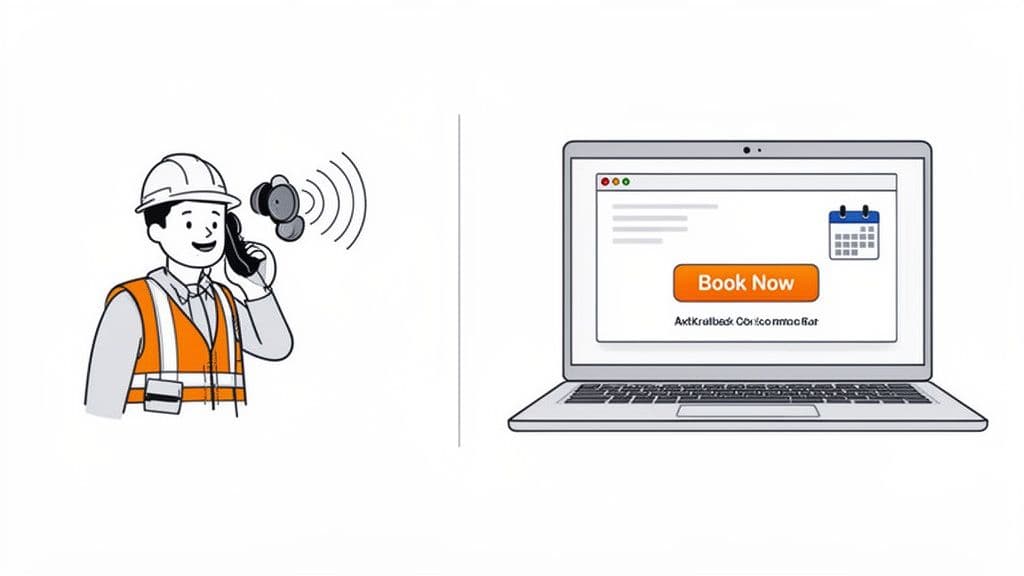
Getting a voicemail sent to your email is a great first step. But the real goal is to turn that missed call into a booked job. This is where a simple but strong one-two punch comes in: follow up the voicemail with an email right away.
This makes your business much harder for a client to ignore. You show up in two different places, which makes you seem fast and professional. You have gone from just taking a message to actively solving a problem.
Why This Combination Is So Effective
Put yourself in the customer's shoes. They call you, but you are busy, so they leave a message. A few minutes later, an email from you arrives. This tells them that you are on top of things, even when you cannot pick up the phone.
This puts the ball back in their court and makes it very easy for them to take the next step. You are no longer just another missed call. You are a business ready to help. It is a small step that builds big trust from the start.
The numbers prove this works. Following up a call with an email can more than double your replies, from 2.73% to 5.87%. Also, sending that email within minutes of leaving a voicemail can raise sales by another 10-11%. It is a very good way to get new customers.
Putting It Into Practice
Let's look at a real example. A homeowner calls you for a price on a new fence, but you miss the call on a job site. They leave a voicemail.
Here’s how you can use a voicemail and email to win their business:
- Leave a Quick, Professional Voicemail: First, call them back. If they don't answer, leave a short message. Say something like, "Hi [Name], this is [Your Name] from [Your Business]. Thanks for your call about the fence. I am sending you an email right now with a link to my calendar so you can book a time that works for you. Talk soon!"
- Send the Follow-Up Email Immediately: Next, write a simple email. The subject line could be "Following up on your call - [Your Business Name]." In the email, say who you are again. Then, add a link to your online booking page or a form to ask for a price.
This two-step plan does more than just return a call. It gives the customer a clear, quick action to take. Instead of playing phone tag, they can book a meeting with you in just a few clicks. This is often before another contractor has even called them back.
By using voicemails to email as the start of this plan, you create a smooth system. You get the message, return the call, and send an email with an action to take, all in a few minutes. This speed is how you turn a missed call into a paying customer. You might also like our guide on how to automatically text back missed calls for another great way to stay in touch.
Moving Beyond Voicemail With an AI Receptionist
Sending voicemails to your email is a good safety net. It helps you catch jobs you might have missed. But what if you could stop missing calls in the first place? The next step up is an AI receptionist. This tool does much more than just take a message.
This kind of tech talks to every single person who calls your business, 24/7. Think of it as the perfect employee. It never sleeps, never takes a break, and always knows the right thing to say. It turns your phone from a message machine into an active helper that wins you more jobs.
How an AI Receptionist Actually Works for You
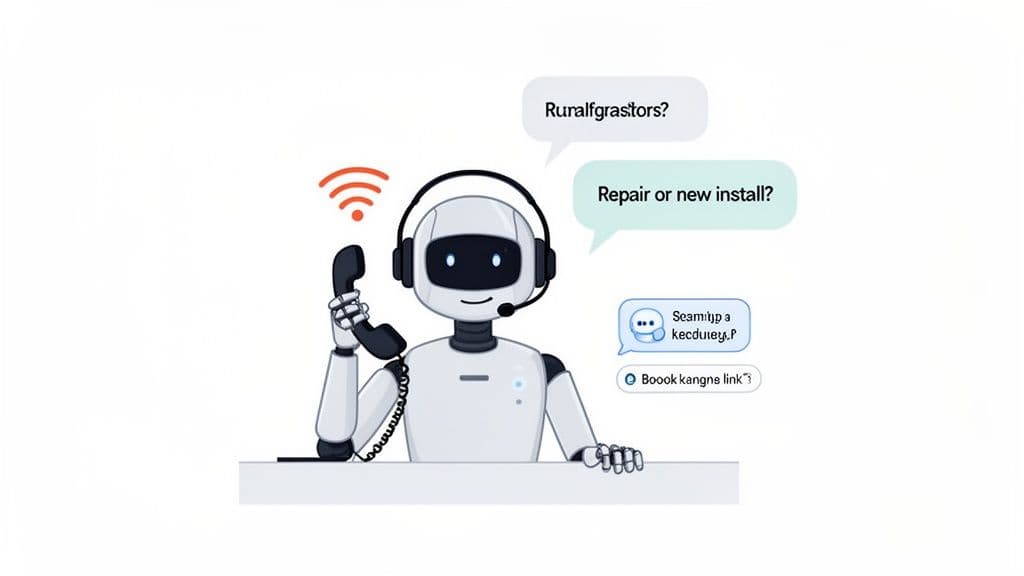
Imagine this: you are up on a roof, and a new client calls. Instead of going to a plain voicemail, an AI receptionist answers right away in a natural, professional voice. It can answer common questions right then, saving you from being interrupted all the time.
Here’s what it can do:
- Answer Questions on the Spot: It can tell callers your business hours, say that you are licensed and insured, or list the services you offer. No more playing phone tag over simple facts.
- Qualify New Leads: It can ask smart questions to find out what the caller needs, like, "Are you looking for a repair or a new installation?"
- Take Real Action: It can even text the caller a link to your online booking calendar or your form to ask for a price. That simple phone call just turned into a booked meeting.
This system does not just manage calls you miss; it creates real business for you. For busy service pros who want to stop catching up and start getting ahead, it’s a big deal. To learn more, you can read about how an AI receptionist for small business can help you grow.
An AI receptionist gives every caller a fast, helpful reply. This shows customers that your business is quick and professional, even when you can't pick up the phone yourself.
Standard Voicemail vs AI Receptionist
Let’s be honest: getting voicemails sent to your email helps you manage messages you have already missed. An AI receptionist helps you get the job while the person is still on the phone. One waits, the other acts. It’s the difference between finding a "sorry we missed you" note on your door and having someone there to welcome a guest inside.
Here's a quick look at how they compare:
| Feature | Standard Voicemail | AI Receptionist |
|---|---|---|
| Call Handling | Records a message after the beep. | Answers right away, 24/7. |
| Lead Capture | Passive. Caller might hang up and call someone else. | Active. Talks to the caller to get key info. |
| Instant Answers | None. Caller has to wait for a callback. | Gives answers to common questions right away. |
| Scheduling | Not possible. You have to follow up by hand. | Can text a booking link to the caller. |
| Customer Experience | Not personal and often a pain. | Professional, helpful, and fast. |
| Business Impact | Organizes missed calls for later. | Turns live calls into scheduled jobs. |
The AI talks to customers when they are most interested. By answering their questions and giving them a way to book you right away, you lower the chance they will hang up and call the next person on their list.
This is how you stop chasing new jobs and start letting them come right to you, ready to go.
Smart Habits for Managing Your Voicemails
Okay, now that you have voicemails coming to your email, let's talk about how to manage them. Getting the message is the first step. But without a smart system, important messages can get lost in all your other emails.
This is not about adding another chore to your day. It is about making a simple plan that feels easy. A few small changes will keep you looking professional and make sure you do not miss any jobs.
Create a Dedicated Voicemail Folder
Your main email inbox is a busy place. The last thing you need is a lot of voicemail notices making it messy. The fix is simple: give your voicemails their own folder.
Go into your Gmail or Outlook settings and create a filter (or a "rule" in Outlook). Tell it that any email from your voicemail service should go right into a new folder called "Voicemails." This keeps your main inbox clean and puts every message in one place.
Craft the Perfect Voicemail Greeting
The greeting a caller hears is your first impression when you cannot answer. A good one does more than just say you are busy. It tells the caller what to say so you can help them. Let's stop using the plain "Leave a message" and be more specific.
Here are a couple of greetings that work well for service businesses:
- For General Calls: "Hi, you've reached [Your Name] at [Your Business]. We are likely on a job site helping another customer. Please leave your name, number, and a quick note about your project, and we will call you back in a few hours. Thanks!"
- For Urgent Service: "You've reached [Your Business]. If this is an emergency, please clearly state your name, address, and the problem. We will get back to you right away. For all other calls, please leave a detailed message, and we will return your call today."
A clear, helpful greeting lets callers know what to expect and shows you respect their time. It makes them more likely to leave a good message you can use.
Handle Customer Information with Care
When a customer leaves a message, they trust you with their private information. This includes their name, address, phone number, and project details. It is your job to keep that information safe.
First, make sure you use an email provider known for good security. Also, be careful where you listen to these messages. Do not play them on speaker in a coffee shop or a public place where others could hear. These simple habits build trust and show your clients you care about their privacy.
Common Questions About Voicemail-to-Email
When you think about changing a system you use every day, you will have questions. That is normal. Let's go over some of the most common ones about switching to voicemail-to-email.
Getting these details cleared up will help you see what a big help this small change can be for your business.
How Accurate Is The Voicemail Transcription?
This is usually the first question people ask. The good news is that the text is very accurate these days. The tech that turns sound into text can give you the main idea of the call right away.
Will it be 100% perfect every time? Probably not. It might have trouble with a unique name or a special work term. But that is why the system is so great. You always get the original sound file in the email. If the text looks a little off, you can just click play and listen.
Think of the text as a quick summary you can scan. It is there to help you see if a call is an emergency or just a quick question. The sound file is the real message.
This means you can look at a message in five seconds while on a ladder. You will know right away if you need to call back now or if it can wait.
Can I Use My Current Business Phone Number?
Yes, you can. For most business owners, this is a big relief. You have spent years getting people to know your number. The last thing you want to do is change it.
Voicemail-to-email services are made to work with the number you already have. You do not have to update your truck, your website, or your business cards. The service just catches the voicemail after a caller leaves a message.
- What your customers see: It's the exact same. They call the number they have always used.
- What you see: The only thing that changes is where the message goes—to your email, not a slow voicemail system you have to call.
This makes the change hidden from your clients, so it does not affect your business at all.
Will My Email Inbox Get Flooded With Voicemails?
That’s a fair question. No one wants important messages to get buried under newsletters and bills. Luckily, this is very easy to manage.
The trick is to create a special home for your voicemails. In your email program (like Gmail or Outlook), you can set up a simple filter. This rule automatically catches any email from your voicemail service and moves it into a special folder.
Just name it something like "Voicemails" or "New Leads." This one simple step keeps your main inbox clean. It also puts all your important messages in one organized spot. It’s the best of both worlds. Everything is neat and easy to find when you are ready to follow up.
Is An AI Receptionist Better Than Voicemail-to-Email?
For most small service businesses, the answer is a big yes. Voicemail-to-email is a great tool for managing jobs you have already missed. An AI receptionist, on the other hand, helps you get that job in real-time so you never miss it.
Think about it. A customer calls, ready to book a job. A voicemail system just takes a message and hopes you can call back in time. An AI receptionist like Cira can actually talk with them. It can answer basic questions, find out what they need, and even text them a booking link while they are still on the phone.
It turns a missed call into a useful conversation that gets things done. More often than not, that means getting the job scheduled before your competitor even gets a chance to listen to their voicemail. It's the difference between reacting to new jobs and actively winning them.
Ready to Never Miss a Call?
7 days. Cancel anytime.
Let Cira answer your calls and book jobs while you work.