The Best CRM for Contractors Revealed

The best CRM for contractors is one made for the job. Tools like Jobber, Housecall Pro, or Contractor+ are good choices. They help with schedules, price quotes, and customer info all in one place.
Why You Need to Ditch the Spreadsheets
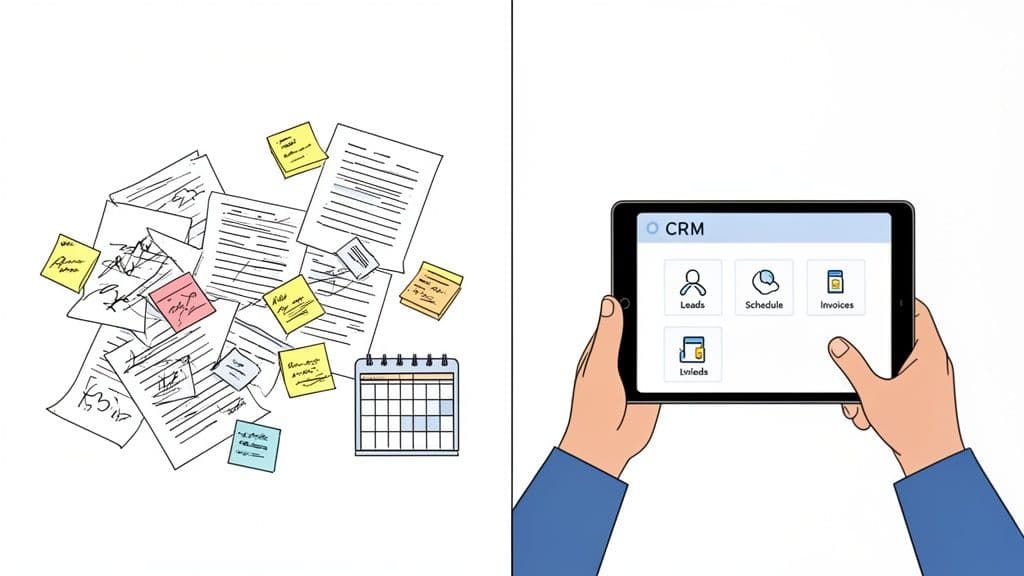
If you run a contracting business, you know how busy it gets. You are juggling job sites, ordering supplies, and keeping customers happy. It's a lot to handle, and important details can get lost. Using sticky notes, messy spreadsheets, or just your memory to track jobs is a sure way to lose money.
This is where a Customer Relationship Management (CRM) system helps. Think of it as a command center for your business, not just a phone book. It organizes everything, from a new customer call to the final payment.
This is not just a "nice-to-have" tool anymore. The world market for construction CRM software was worth $1.09 billion in 2024**. It is expected to grow to **$2.93 billion by 2032. This tells you one thing: contractors are using see business phone CRM integration and get more work.
Turning Chaos into Order
Let's talk about the daily problems. A customer calls while you’re on a ladder, so you write their number on a piece of wood. A past client needs a copy of an old invoice, and you have to dig through piles of paper. A good CRM solves these problems by keeping everything in one place.
Every note, quote, and invoice is linked to a customer and a job. This means you can find any information in seconds, not hours. It makes your work easier and makes you look more professional to your clients.
To learn more, you can read about the overall benefits of a CRM system for any company.
A great CRM does more than store info. It helps you use that info to get more jobs. It reminds you to follow up on a quote. It shows you which ads bring in the best customers. And it helps you give great service.
Must-Have CRM Features for Contractors
When you look for the best crm for contractors, you will see many choices. But most are made for office sales teams and won't work for you. A contractor's CRM must be built for work in the field.
Here are the features you must look for.
Essential CRM Features for Any Contractor
This table shows you what really matters. These are the main features that solve the problems you face on the job every day.
| Key Feature | Why It Matters | How You'll Use It Daily |
|---|---|---|
| Mobile App | You work on the go, so your software should too. | Making quotes on-site, sending bills from your truck, and updating job status from your phone. |
| Job & Project Management | See all your jobs at once without making lots of calls. | Tracking job progress, scheduling your crew, and managing timelines from one screen. |
| Estimating & Quoting | Helps you make sales faster and win jobs before others do. | Building a nice-looking quote in minutes and sending it to a customer to approve online. |
| Lead Management | Stops you from losing new jobs that could make you money. | Getting new customer info from your website or phone calls and getting reminders to call them back. |
| Invoicing & Payments | Helps you get paid faster with less trouble. | Making a bill with a few clicks and letting customers pay you online right away. |
In the end, picking the right CRM is a big step. It will make your business run better and earn more money. It replaces messy papers with clean, simple work. If you find a tool with these key features, you’ll get a system that works for your trade.
How to Choose the Right CRM for Your Trade
Not all CRMs are the same, especially for a contracting business. A system made for a desk job will feel wrong when you’re trying to send a quote from your truck. This guide will help you find the right system for your trade, whether you're a plumber, roofer, or general contractor.
First, think about your biggest daily problems. Are you buried in paperwork? Are you losing good customers because you forget to call them back? Knowing what you need to fix is the only way to find a tool that will help.
First, Find Your Biggest Pain Points
Before you look at any software, grab a notebook. Write down what slows you down, what causes stress, and where you feel you are messing up. This list will help you know what you "must-have" before you see all the fancy features.
Ask yourself these questions:
- Where does my time go? Is it spent making quotes, chasing payments, or figuring out where your crew is?
- How do I lose customers? Do you forget to call people back? Do you lose track of who you sent a quote to?
- What info is hard to find? Do you have to search through texts and emails to find a customer's address or job details?
- Is getting paid hard? Does it take a long time to make and send bills, and is it hard for customers to pay you?
Your answers will show you the way. If scheduling is a mess, you need a CRM with a great, easy-to-use calendar. If calling people back is your weak spot, look for a tool with good reminders.
General CRM vs. Industry-Specific CRM
Once you know what problems to solve, you will have a big choice to make. Do you get a general CRM or one made just for contractors?
A general CRM like HubSpot or Zoho is like a multi-tool. It can do many things, but it is not perfect for any one job. You will have to spend time setting it up for your work. You'll need to add your own fields for things like "Job Type" or "Project Stage."
An industry-specific CRM like Jobber or Housecall Pro is more like a special power tool. It was built just for businesses like yours. It already has the features you need, like job management, quotes, and bills. You can start using it right away. For most contractors, this is the better choice.
Key Takeaway: You can set up a general CRM, but a contractor-specific one already knows your business. It saves you a lot of time and frustration. You can focus on your real work instead of being a software expert.
See How Different Trades Use CRMs
There is no single "best CRM for contractors." The best one is the one that fits your trade. The work you do every day decides which features you need most.
For example, an electrician on a big, long project needs strong project management tools. They have to track different steps, manage changes, and work with other crews. Their CRM needs to show them the whole project, which could last for months.
A landscaper, on the other hand, does a lot of repeat jobs. Their business depends on scheduling weekly or monthly visits, sending bills automatically, and tracking seasonal work for many clients. For them, good billing and scheduling are more important than complex project management. For a deeper look, you can see what general contractors should look for in their software.
Just look at a popular software review site. You'll see that most of the top choices for construction already have CRM features built in.
This shows that many tools are made just for our industry. It proves that special software is usually the best way to go.
Your Final Checklist for Choosing a CRM
Okay, let's put it all together. As you look at different CRMs, use this final checklist. The goal is to find a tool that feels like a part of your business, not another chore.
- Is it easy to use on a phone? You run your business from the field. If the app is hard to use on your phone, it's not the right tool.
- Does it solve your biggest problems? Go back to your list of problems. The right CRM will offer a clear fix for your top one to three issues.
- Is the price clear? Make sure you know exactly what you are paying for. Watch out for hidden fees or expensive extras you won’t use.
- Can it grow with your business? The system you pick today needs to work for you in two years. Can it handle more jobs, customers, and workers as you grow?
Getting Your New CRM Dialed In for Immediate Wins
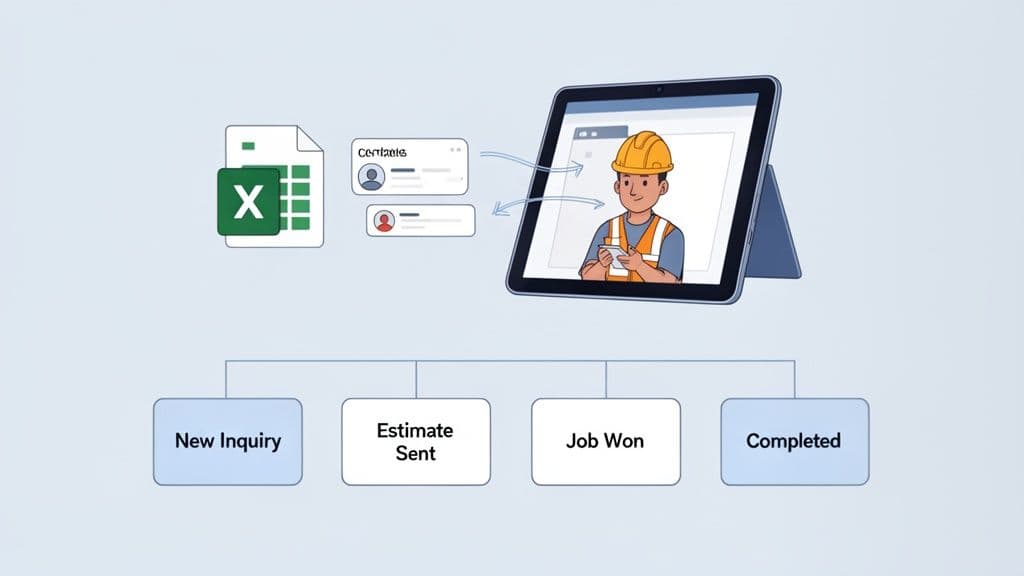
Okay, you've picked your CRM. That’s a big step. But a powerful tool is no good if you don't use it. Now it's time to make it work for you and your business.
The good news? You don't need to be a tech expert to get it working and see good results fast. We’re going to walk through the first key steps that will start saving you time and getting you more jobs, right away.
First Things First: Get Your Contacts In
Right now, your CRM is empty. Let's fix that. The very first thing to do is add all your current customer information. It’s finally time to get rid of those messy spreadsheets, notebooks, and that shoebox full of business cards.
Most CRMs make this easy. You can usually just upload a spreadsheet file, and the system will sort out all the names, phone numbers, and emails. In one step, all your clients are in one clean, organized place.
With your contacts loaded, you can start keeping track of them like a pro.
Don’t try to set up everything at once. Focus on these three things: adding your contacts, making a few key fields, and building a simple work plan. Getting these basics right is the fastest way to make your new CRM a tool you can't live without.
Customize Fields to Track What Actually Matters
Every contracting business is a little different. A basic CRM won’t know you need to track "Job Type" or "Lead Source." This is where custom fields become your secret weapon.
Think about the key details you always need for a job. Instead of putting everything in a "notes" section, create specific spots for that info. This keeps your information neat and makes it very easy to search for what you need later.
Here are a few custom fields you should set up right away:
- Lead Source: Where did this customer find you? (e.g., Google, Friend, Yard Sign). This is very important—it shows you what advertising is working.
- Job Type: What kind of work do they want? (e.g., Roof Repair, Kitchen Remodel, Lawn Care). This helps you organize jobs easily.
- Estimate Status: What is happening with the quote? (e.g., Needs Quote, Quote Sent, Approved, Turned Down).
This simple step makes a general tool feel like it was made just for you. Landscapers, for example, can use this to separate regular lawn care clients from one-time projects. For more ideas for your trade, check out our guide on the best CRM for landscapers.
Build Your First Sales Pipeline
A sales pipeline sounds hard, but it's not. It's just a board that shows you where every job is, from the first call to the final payment. The point is to create a simple, clear map of your work.
Most CRMs have a drag-and-drop board for this. Start with a few simple steps that show how you do business.
A simple pipeline for a contractor might look like this:
- New Call: A new customer contacts you from your website or a phone call.
- Quote Sent: You've visited the site and sent the price quote.
- Job Won: They said yes and are ready to schedule the work.
- Work in Progress: Your crew is doing the job.
- Completed: The work is finished, and it's time to send the final bill.
With a pipeline like this, you can see where every job is at a glance. No more guessing. You’ll know exactly what you need to do to keep the work and money flowing in.
Dip Your Toes Into Automation
Last, let's try a little automation. You don't need to build a complex robot system to get a big benefit. Just start with one simple, repeated task you're tired of doing yourself.
A perfect first automation? A follow-up reminder.
For example, you can make a simple rule: if a client has not replied to a quote in three days, the CRM automatically makes a task telling you to call them. Just like that, you’ve made sure no customer gets forgotten because you were busy. It's one of the easiest ways to see how helpful your new system can be, right from the start.
Turn Your CRM Into a Lead-Capturing Machine
What if your CRM could get new customers for you, even when you're busy on a job site? A CRM by itself is a great way to organize your contacts. But when you connect it to the right tools, it can become much more powerful. You can change your CRM from a simple list into a system that works 24/7 to bring in new business.
This is where smart tools change the game for contractors.
Imagine this: a new customer calls your business number. Instead of the phone ringing with no answer or going to a voicemail you won't check for hours, see our AI receptionist small business guide picks up right away. It quickly finds out what the caller needs, like a quote for a new roof or an emergency repair.
After getting the details, the AI doesn't just leave you a message. It automatically creates a new customer contact right inside your CRM. It includes the caller's name, phone number, and what they need. You didn't have to do a thing.
Stop Missing Calls and Losing Jobs
For any busy contractor, every missed call can be a lost job. When you're in the middle of a project, you can't just stop to answer the phone. This system solves that problem for good. The AI helper makes sure every call gets answered. You never lose a good customer to another company just because you were busy.
This gets rid of the mad rush at the end of the day. You won't have to try to read notes written on a napkin or remember the details of a call from hours ago. Everything is saved neatly in your CRM, ready for you to follow up on when you have a free moment.
It’s a simple, strong way to get a customer from a phone call right into your system, with no work from you.
The system doesn't just answer the phone. It talks to the customer and gets important information that helps you know if they are a good fit for your business.
Automate Your Booking and Follow-Up
The real magic happens when you take this one step further. An AI helper can do more than just answer calls and create new contacts. It can help you book more business without you having to do anything by hand.
Here’s how it works:
- A new customer calls to ask for a quote.
- The AI helper answers and gets their basic info.
- It then sends the caller a text message with a link to your schedule.
Just like that, the customer can pick a time for a quote that works for them, right from their phone. This all happens while you keep working. By the time you take a break, you could have new quotes booked on your calendar, all saved and tracked in your CRM. To learn more about how this works, check out the benefits of an answering service for contractors.
This kind of automation is not just for big companies anymore. The construction CRM market is set to reach $867 million in 2025 for a reason. Contractors are learning how much time and money these tools can save. When you think that 90% of missed calls can lead to lost money, an AI helper that books just one extra job can easily pay for itself.
Put Your Lead Generation on Autopilot
By connecting these systems, you are building a powerful machine for your business. It answers calls, qualifies new customers, saves them in your CRM, and even gets them on your schedule. This frees you up to focus on the work that makes you money: helping your customers and finishing great jobs.
This approach turns your CRM from a passive place to store information into an active part of your sales. You can find more ways to automate getting new customers by checking out these lead generation autopilot use cases. It’s the smartest way for a modern contractor to make sure a good lead never gets lost again.
How to Know Your CRM Is Actually Working
So you've bought a new CRM. You've spent the time and money to set it up. But how do you know if it's helping? Is it really getting you more jobs, or is it just another monthly bill?
The good news is you don't need to be a data expert to figure it out. The proof is right there in the system, in a few simple numbers. Think of your CRM like any other tool in your truck. You need to know it's making your work faster and more profitable.
Key Numbers to Watch in Your CRM
Forget about tracking a dozen different things. To see how your CRM is helping, you only need to watch a few key numbers. These numbers will tell you if you're getting faster, winning more jobs, and keeping customers happy.
Here are the big ones every contractor should watch:
- Lead Response Time: How fast are you getting back to a new customer? A good CRM should make this much faster. When a new customer calls, the system should get their info and alert you right away. We all know the first person to respond often gets the job.
- Estimate Win Rate: This is like your batting average. What percentage of the quotes you send turn into paying jobs? If you see this number go up after using the CRM, that's a great sign. It means your organized follow-ups and professional quotes are working.
- Job Value by Lead Source: Where are your best customers really coming from? Your CRM should tell you if it's Google, a friend, or that yard sign you put on the corner. Knowing where your best jobs come from helps you spend your advertising money wisely instead of just guessing.
This is where automation helps a lot. Imagine a customer calls, but you're on a roof. An automatic system can get all their details, create a new contact in your CRM, and get things started before you’ve even climbed down the ladder.
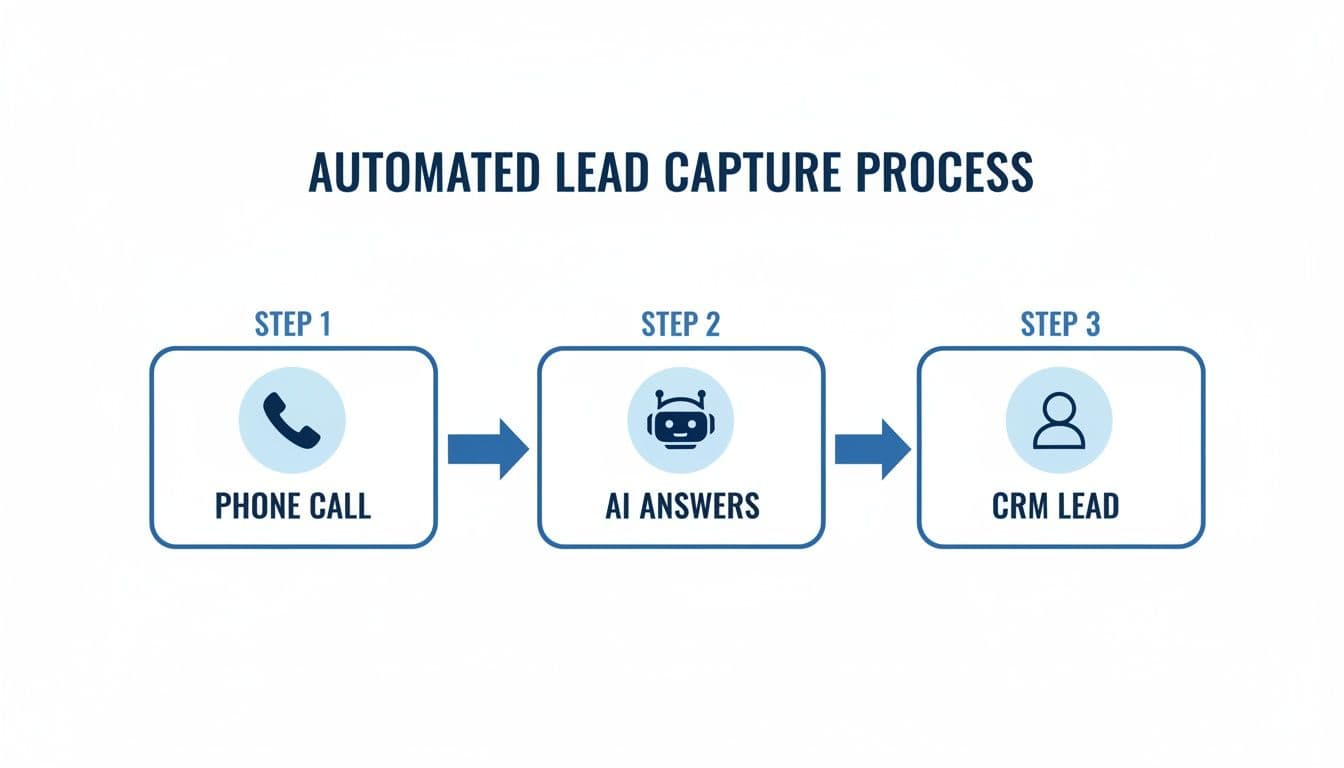
This simple setup makes sure no new customer gets lost. It makes your response time almost instant.
There's a reason for this. A famous study found that businesses using a CRM can increase their sales by up to 29%. That’s not magic. It's just what happens when you stop losing chances and give every customer a professional experience.
To make this super simple, here's a quick guide you can use to check if your CRM is really making a difference.
Easy Ways to Measure Your CRM's Impact
Use this table to see if your CRM is helping your business grow by checking a few simple numbers.
| What to Track | Where to Find It in Your CRM | What This Number Tells You |
|---|---|---|
| Lead Response Time | Look at the time between when a new customer is added and when you first call or email them. | If this time is going down, your team is getting faster and you're more likely to win the job. |
| Estimate Win Rate (%) | Most CRMs have a "sales" or "deals" report. Divide your "won" jobs by the total number of quotes you sent. | If this number is going up, your follow-up and quotes are getting better. |
| Job Value by Lead Source | Check your sales or marketing reports. It should show where your money comes from based on the "source" field. | This shows you which ads are bringing in good-paying jobs, not just people who are looking. |
| Number of Follow-ups | Your activity or task reports can show the average number of calls or emails it takes to win a job. | If this number is steady, your team is following a good process. If it's too high, you might be chasing bad leads. |
By watching these numbers, you can move from feeling like things are better to knowing they are.
Sidestepping Common CRM Pitfalls
Even the best CRM for contractors won't help if you fall into a few common traps. I’ve seen many good business owners get upset because they made one of these simple mistakes.
The biggest one? Making things too complex from the start. It's easy to want to use every feature your new software has, but that's a sure way to get confused. Get good at one or two things first, like tracking new customers or making quotes. Then add more from there.
Another common mistake is not getting your team to use it. If your crew just sees the CRM as more paperwork, they won’t use it. You have to show them why it helps. Explain how it makes their job easier, gets rid of paperwork, and helps the whole company win. Once they see it saves them headaches, they'll use it.
Using Reports to Make Smarter Decisions
At the end of the day, the real power of a CRM is in its reports. These aren't just fancy charts. They are a clear look at how your business is doing. With a few clicks, a good report can answer questions that used to take hours of digging through papers.
For example, you can instantly see things like:
- Who on your team is winning the most jobs.
- Which months are the busiest for certain services (like roofing or plumbing).
- How long it takes, on average, to go from a new call to a final payment.
This kind of information is very valuable. It helps you schedule your crews better, set good sales goals, and find problems in your process before they get big. You stop running your business on feelings and start making choices based on real facts.
Got Questions About Contractor CRMs? We've Got Answers.
Picking see the best apps for contractors for your business is a big deal. You're not just buying a tool; you're changing how you work. Here are some simple answers to the questions we hear most often from contractors looking at CRMs.
What's This Going to Cost Me?
The price of a contractor CRM can be very different. You might find a simple system for one person starting around $50 per month. A bigger system for larger crews can easily cost several hundred dollars.
Usually, the cost depends on two things:
- How many people will use it? The price is often based on the number of "users" on your team.
- What features do you need? Simple contact lists are one thing. Tools like job cost reports or automatic follow-up messages will cost more.
My advice? Never buy a CRM that doesn't offer a free trial. You need to try it out and see how it feels in your daily work before you spend any money.
Can I Get By With a Free CRM?
Yes, you can start with a free CRM, but you should know what you're getting. A free tool is a great first step to get your contacts out of spreadsheets and into one organized place.
But here’s the problem: most free versions are missing the key features a contractor needs. Think job scheduling, making quotes, and sending bills. They just aren't made for how we work.
A free CRM is like having a small toolbox with a hammer and a screwdriver. It can do some small jobs. A paid, contractor CRM is like showing up with a truck full of power tools made for your trade. It is much more efficient.
Think of a free CRM as a starting point. But know that you will need a better one as your business grows.
How Long Will It Take to Get This Thing Set Up?
Getting a CRM up and running is probably faster than you think. The first setup—adding your customer list, adding your team, and changing a few settings—can often be done in an afternoon.
The real "work" is not the setup. It's making a habit of using it every day. The secret is to start small. Don't try to learn every feature on day one.
Start with one main task. Maybe it's just putting every new customer into the system. Once that feels normal, add the next step, like making all your quotes inside the CRM. Small, steady steps are the best way to succeed.
Does a CRM Replace My Accounting Software?
No. Think of them as two different experts on the same team. A CRM is not a replacement for a tool like QuickBooks. They do very different jobs, and you need both.
- Your CRM is for managing your customers and your jobs. It handles everything from the first phone call and the quote to scheduling the work and following up. It’s for sales and work.
- Your Accounting Software is all about the money. It tracks your payroll, manages taxes, and shows you the financial health of your business.
The real magic is when they work together. The best CRMs for contractors connect with your accounting software. This means when you mark a bill as paid in your CRM, it automatically updates in QuickBooks. You don't have to enter it twice. That alone is a huge time-saver.
Ready to Never Miss a Call?
7 days. Cancel anytime.
Let Cira answer your calls and book jobs while you work.