How to Automate Customer Service and Never Miss a Lead
If you own a service business, you know this feeling. You are on a job, up a ladder, or driving. Your phone rings. Every missed call could be a lost job.
What if an AI voice helper could answer every call 24/7? It could ask a few simple questions to find good leads. Then, it could text callers a link to your booking page. This isn't about replacing people. It's about making sure you never miss a lead again, even when you're busy.
Stop Missing Calls and Start Booking More Jobs
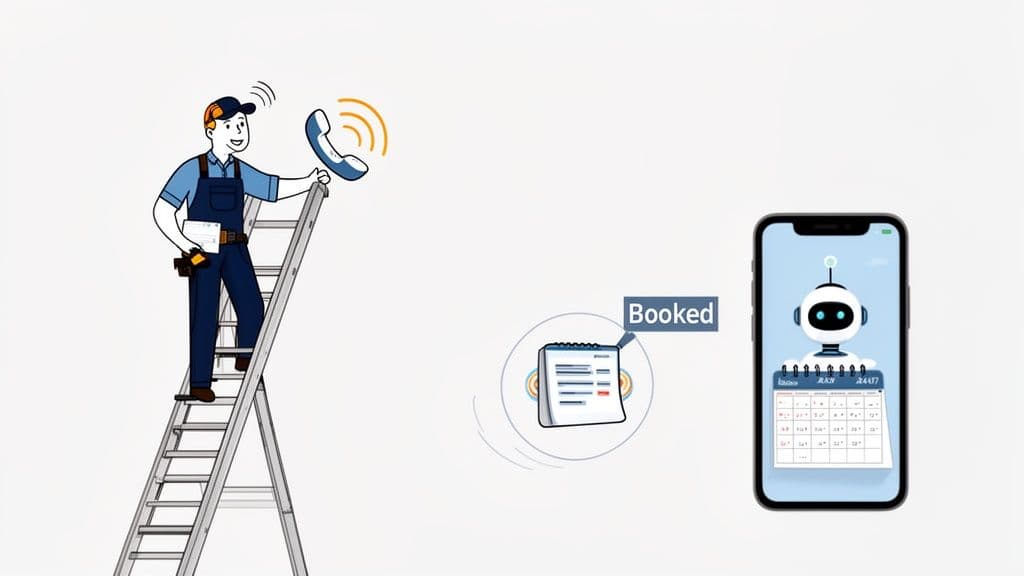
For a business that books jobs, the phone is key. But you can't be in two places at once. When a customer calls and gets your voicemail, they may call someone else. They will not wait. They will just call the next name on the list.
Automating your customer service solves this problem. It is not about getting rid of the personal touch. It is about creating a safety net that catches every chance. It makes sure no call goes unanswered.
This guide will show you how to set up a smart helper. It will make your customer service better. You do not need to be a tech expert. The goal is to free you up to do the work that makes you money.
How Automation Can Change Your Business
Think of our look at service automation as your best worker. It never takes a break. It is never sick. It never misses a call when you are busy. This makes your business look professional and organized.
You can also add good live chat solutions on your website. This gives customers another fast way to contact you.
The goal for a service business is simple: turn every call into a possible job. Your automated system can catch the lead, ask a few basic questions, and help the customer book online.
This is not an idea for the future. It is happening now. By 2026, 80% of simple customer talks will be handled by AI. This includes answering questions and booking jobs.
Building Your Automated Front Desk
Putting an automated system in place means you can stop worrying about missed calls. It is a clear path to a business that is more efficient and makes more money.
Here’s what a smart automated system can do for you right away:
- Answer Every Call, Right Away: No more missed jobs. No more sending good leads to voicemail.
- Qualify New Leads on the Spot: The system can ask key questions to find serious customers.
- Book Appointments 24/7: Your business can book jobs while you sleep. That’s a big plus.
By setting up these tools, you build a machine that brings in business all day and night. It's a good idea to compare different phone answering services for small business to find the right one for you.
Set Clear Goals for Your Automation Plan
Before you pick a tool, let’s slow down. It’s easy to jump to new tech. But you need to know exactly what you want the system to do.
Think about your biggest problems. Are you missing calls while on a job? Are people calling after hours and getting voicemail? Are you tired of answering the same questions all day? Each of these problems can be a goal.
From Problems to Goals You Can Measure
Turn your problems into goals you can measure. These are often called Key Performance Indicators (KPIs). A KPI is just a number that tells you if your plan is working. It's like a scoreboard.
For example, if you miss calls on jobs, your goal is simple: have a 100% call answer rate. This means every customer gets a quick, professional answer, day or night.
A recent study found that 83% of customers want to talk to someone right away. If you don’t answer, they will call someone else.
Fixing your answer rate can be a game-changer. Once you stop losing leads to voicemail, you can set a new goal. A good next goal is to book more jobs automatically.
Your Automation Goal-Setting Worksheet
Here is a simple worksheet. It helps you connect your problems to goals and KPIs. Start with the one problem that costs you the most sleep or money.
| Business Problem | Automation Goal | How to Measure It (KPI) |
|---|---|---|
| I miss calls when I'm on a job. | Answer every call, 24/7. | Call Answer Rate (Aim for 100%) |
| I get calls after hours. | Catch leads outside of business hours. | Leads Caught After Hours |
| I waste time on the same questions. | Answer common questions automatically. | Percent of FAQs Handled by AI |
| Following up with leads takes too long. | Instantly text booking links to good leads. | Jobs Booked via AI-Sent Links |
| I don't know if my ads are working. | See where my calls come from. | Call Count by Source (e.g., Google) |
My advice? Pick one or two of these to start. Focus on making your system great at that one goal. Once it works well, you can add more tasks. Solve one problem at a time.
Choose the Right Channels to Automate
Now you have your goals. Where do you put automation to work? For a service business like plumbing or roofing, the phone is still the most important. It's how your best customers find you.
This is why starting with phone automation is so powerful.
Think like a customer. If a pipe bursts, their first thought is to call someone. They need help now. If your phone goes to voicemail, they will not wait. They will call the next company on Google.
That's why an AI voice helper is the best place to start.
Start with the Phone—It’s Your Money-Maker
Our pick for AI receptionists is your 24/7 front desk. It makes sure every call is answered right away. This gives every caller a good, professional experience. It makes your business seem more trustworthy than others who let calls go to voicemail.
For example, when a new lead calls, your AI can greet them. It can ask if they are a new or current client. It can ask a few quick questions. This finds a good lead and gets their contact info. You don't have to drop your tools or pull over your truck.
Here's a surprising fact: 71% of young customers (Gen Z) say a phone call is the fastest way to solve a problem. Your customers still see a phone call as the best way to get help for real problems.
This shows that the phone is still at the center of customer service, especially for the kinds of problems you solve.
What About Text, Chat, and Email?
People will try to reach you in other ways, too. They will use text messages, your website chat, and email. It can feel like a lot to handle. The secret is to make them all work together.
The best way is to use other channels to guide customers to your main booking process.
- SMS/Text Messages: Texting is great for quick follow-ups. After a call, your AI can text a link to your online booking calendar.
- Website Chat: A chatbot on your site can answer basic questions like your hours. It can also get a visitor's name and phone number. Then, it can ask them to call for fast help.
- Email: Use email for things that are not urgent. This can be for invoices, appointment reminders, or service updates. When a new lead emails you, the goal should be to get them on the phone or to your booking page.
Create a Single System for a Better Experience
The idea is to make things very easy for your customers. Imagine this: a person finds your website and calls your number. Your AI answers and learns they are a good lead. It then sends a text with your booking link. The customer clicks the link and books a job right away.
You can learn more about this in our guide to choosing an automated phone answering service.
This connected process feels smooth and professional. Your customer gets what they need in minutes. You just booked a new job without answering the phone. This is how you really automate customer service.
Design Call Flows That Get a "Yes"
Now it is time to design the talk that turns a call into a booked job. This is where you build the brain of your automation. You do not need to be a computer expert. We are just creating a simple script that works for real people.
The point is to guide callers from "hello" to a booked job with no problems. Think of it like mapping out a helpful, normal talk. If you get this right, your business will seem more professional.
For this to work well, the system needs to understand what people say. This is done with tech like natural language processing (NLP). It helps the AI know what a caller wants, even if they use different words.
Start with a Simple Greeting
First impressions matter, even with a robot. Your greeting should be professional, friendly, and clear. It should tell the caller they have the right business. It should say an automated helper is there to help.
A good greeting makes things clear and builds trust. If you want more ideas, we have a guide on the perfect company greeting message.
Here’s a simple script that works well:
"Thank you for calling [Your Company Name]. This is your 24/7 automated assistant. To help you fast, are you a new or existing customer?"
This one question does a lot. It tells them they called the right place. It also starts to sort them. An old customer might be calling to change a job. A new one is a lead you need to get.
This simple path is how an AI should think. It guides a caller to the fastest solution.
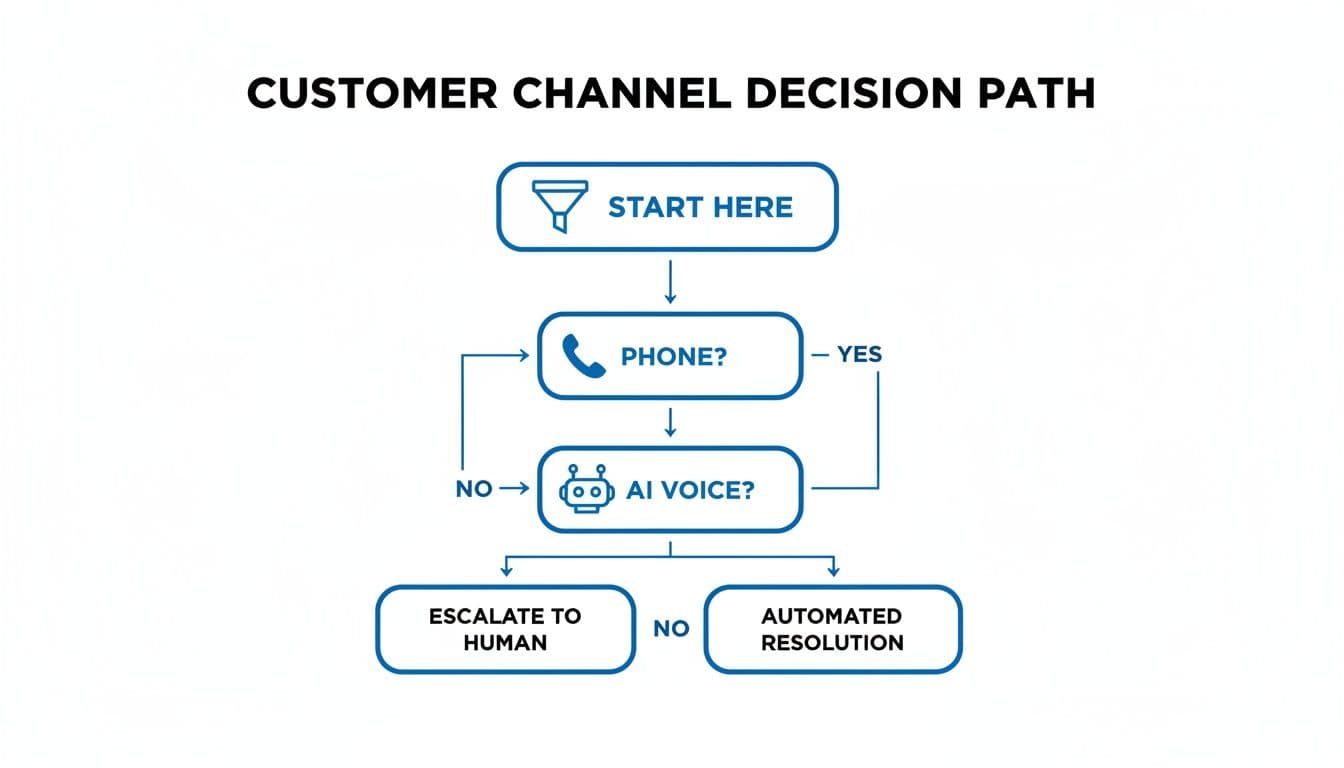
As you can see, when a need is urgent, the phone is the best tool. An AI voice helper is often the fastest way to get a person the help they need.
Find Good Leads with Smart Questions
After the greeting, the AI needs to know what the caller wants. This is where you find good leads. Many businesses ask too many questions or the wrong ones.
The goal is to ask just enough to know if they are a good fit. You also want to know what they are looking for. A few good questions are all you need.
Good Questions That Work:
- "Could you tell me about the service you need?" This lets the customer explain their problem in their own words.
- "To make sure you're in our service area, can you give me your zip code?" This is a must for any home service business. It avoids wasting time on a lead you cannot help.
- "Are you looking to book a new job, or do you have a question about an old one?" This question helps the AI know what to do next: book a job or give support.
Based on the answers, the AI can then act. For a good new lead, the next step is to get them to book a job.
From Call to Booked Job: A Real-World Script
Let’s put it all together. Here are two script examples for a plumbing and an HVAC company. They show how a quick, automated call can lead to a new job.
Example 1: Plumbing Company Script
- AI: "Thanks for calling Apex Plumbing. This is your 24/7 automated assistant. Are you a new or existing customer?"
- Caller: "I'm a new customer."
- AI: "Great! To see how we can help, could you tell me about your plumbing issue?"
- Caller: "My kitchen sink is clogged."
- AI: "I can help with that. To book a job, I can text you a link to our online schedule now. Is this a good number to send the text to?"
- Caller: "Yes, it is."
- AI: "Perfect. I’ve just sent the link. Please click it to see when we are free and book a time. Thanks for calling Apex Plumbing!"
Example 2: HVAC Company Script
- AI: "You've reached Climate Control HVAC. This is our 24/7 automated assistant. Are you a new or existing customer?"
- Caller: "New."
- AI: "Welcome! What can we help you with? Are you looking for a repair, a new unit, or a tune-up?"
- Caller: "My AC isn't working."
- AI: "I know how urgent that is. To book a repair, I can send a text with a link to our booking calendar. Can I send it to this number?"
- Caller: "Yes, please."
- AI: "Okay, the text is on its way. Just click the link to book your service. We look forward to helping you!"
Notice the flow: the AI confirms the problem and offers a fast solution (the booking link). The call is over in under a minute.
While 88% of call centers now use some form of AI, only 25% have it fully working. This gives you a big chance. By using these simple flows, you can get ahead of your competition.
Launch Your New Automated System
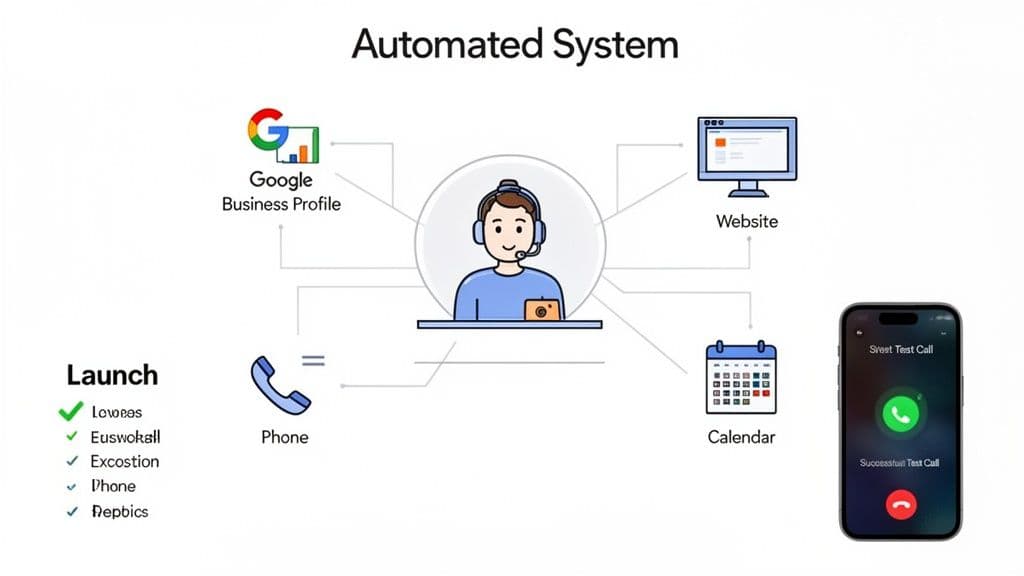
You have designed your call flows and written your scripts. Now, your new system can start answering calls and booking jobs.
A good launch is not just flipping a switch. It means connecting your new AI helper to the tools you already use. This makes things easy for your customers, from the first call to the final job.
Connect Your Tools for a Smooth Process
The goal is to have one place where your phone, website, and customer info all work together. This helps your AI sound smart and be truly helpful.
Here’s a checklist to get everything connected:
- Google Business Profile: Your business phone number on your Google Business Profile should go to your new automated helper. Make sure your profile is up to date with your hours and service areas.
- Website: Make sure the phone number on your website is the one your AI answers. A "click-to-call" button is great for people on their phones.
- Customer List: If you have a customer list, upload it. This lets the system know who is calling again. It can greet them by name, like, "Hi Sarah, welcome back!" This small touch makes a big difference.
- Calendar Links: This is very important. Double-check that the booking link your AI sends goes to the right calendar. A broken link means a lost job.
Connecting these parts helps meet customer needs. Remember, 70% of customers expect a company to know their history. A connected system does just that.
Test Everything Before You Go Live
I cannot say this enough: test your new system before it handles real calls. It is like being a secret shopper for your own business.
Testing helps you find small, odd moments before a real customer does. A few minutes of testing now can save you from a bad first impression.
I always tell my clients to call their own number at least five times. Pretend to be different types of customers. Be a new lead with an urgent problem. Be an old customer with a question. Try to confuse the AI. This is how you find weak spots.
Follow a simple plan to make sure every part of the experience works well.
Your Pre-Launch Testing Plan:
- Call as a new lead. How does the greeting sound? Go through the full flow and say "yes" to the booking link text.
- Check the text message. Did it arrive quickly? Does the link work? Does it go to your booking page?
- Try to book a job. Go through the steps of picking a time on your calendar. Is it easy to use?
- Ask it common questions. Try asking things like "What are your hours?" or "What areas do you service?" See how it answers.
Watch the System During the First Week
Once you go live, the first week is for watching. Don't just set it and forget it. Look at your call logs and listen to a few recordings each day. This is your first look at how real customers use your system.
You are looking for trends. Are callers hanging up at a certain point? Are they asking a question you did not plan for? Making small changes based on this feedback is what turns a good system into a great one.
Monitor and Improve Your Automation Over Time
Getting your new system live is a great first step. But the real magic happens after the launch. This is when you start to listen to what the data tells you. This is how you turn our top answering service tips into a tool for business growth.
Your call reports are the best place to start. Most AI helper tools have a dashboard that shows you every call. This is your direct line into your customer's mind.
Think of it this way: every call summary is a piece of feedback. By checking them often, you will see patterns and find chances you would have missed.
Find Clues in Your Call Data
So, what are you looking for in these reports? You are looking for trends that tell a story about your customers and your market.
Are many people calling about a service you don’t offer? Are callers always asking the same question about your service area? These are clear signals.
Here are a few things to look for:
- Common Questions: If five callers a week ask about weekend hours, that is a sign. You can update your AI script to answer that question. Or you could think about opening on Saturdays.
- New Service Requests: Did 10 people call last month asking if your plumbing company also does HVAC repairs? That is your market asking for something new.
- Points of Confusion: Do callers hang up after the AI asks for their address? Maybe the words are not clear. A small change to the script can fix that and keep the booking going.
I worked with a roofer who saw many calls about "metal roofing." They only did shingle roofs at the time. After seeing the calls, they trained a team and added it as a service. It now makes up 30% of their sales.
You no longer have to guess what people want. You have data showing you exactly what they are asking for.
Turn Insights into Action
Finding these patterns is one thing. Acting on them is what makes a difference. The goal is to create a simple loop: listen to the data, learn from it, and make it better. This makes your automation smarter over time.
For example, if you see lots of new callers asking for your business hours, add that to your welcome message.
Something as simple as, "Thanks for calling [Your Company Name]. We’re open from 8 AM to 5 PM, Monday to Friday" can handle many simple questions. This frees up your AI to focus on what matters: finding and booking new jobs.
Make it a habit to spend 15-20 minutes a week looking at your call reports. This small amount of time gives you a real look at your customers' needs. It makes sure your automation is working for you.
Frequently Asked Questions About Automation
When I talk to business owners about automation, the same few worries always come up. It is normal to have doubts. Let's answer those common questions so you can see if this is right for you.
But Won't My Customers Hate Talking to a Robot?
This is the number one question I hear. It is a real fear. No one likes a bad phone menu. But we have learned that customers care more about speed and results than who they talk to.
What’s surprising is that most customers—around 67%—prefer an automated helper if it means getting an answer right away. Think of it from their view. A helpful AI that books their job is better than getting your voicemail and waiting for a call back.
When a system is made well, customers don't see a robot. They see a shortcut. The key is to make it helpful, not a problem.
Isn't This Too Expensive for a Small Business?
It used to be. For a long time, this tech was only for big companies with big budgets. That's not true anymore. New tools have been made just for small, local businesses like yours.
Many AI helper services have simple monthly plans. They cost less than what you'd make on one job. The system can pay for itself by catching just one lead you would have missed. This makes it one of the smartest and cheapest "hires" you can make.
Can an AI Really Handle My Specific Business Needs?
Yes, because you are the one who trains it. Modern AI helpers are not guessing what to say. They follow your exact rules. You are in full control.
You will set up your business hours. You will define your service area. You will write the questions it uses to find good leads. It is not making up answers. It is just using your business knowledge, 24/7, to handle every call the way you want.
Ready to Never Miss a Call?
7 days. Cancel anytime.
Let Cira answer your calls and book jobs while you work.