How to Record a Professional Voicemail in Minutes

To record a good voicemail, first write down what you want to say. Keep it short and clear. Then, find a quiet spot to record. Use a friendly voice. Your message should say who you are, why you missed the call, and when you will call back.
Your Voicemail Is Your Front Door
Your voicemail greeting is often the first time a customer connects with your business. Think of it as your front door. If it is messy or confusing, people will leave. For a small business, that means you lose a job.
A bad voicemail sends the wrong message. It can make you seem messy or like you do not care. When a customer wants to spend money, they want to feel sure they are hiring a pro.
What a Bad Greeting Costs You
Every missed call is a chance to get a new job. A bad greeting does more than just sound bad. It costs you money. Callers who hear a bad voicemail are more likely to hang up and call someone else. A bad first impression can break trust, making it harder to build Building Brand Loyalty Through Exceptional Customer Support.
This is a big deal. The phone is still a huge way customers connect with businesses. In fact, 48% of businesses still help customers mostly over the phone. This shows how important it is to handle calls well, especially if you get leads from what are inbound calls.
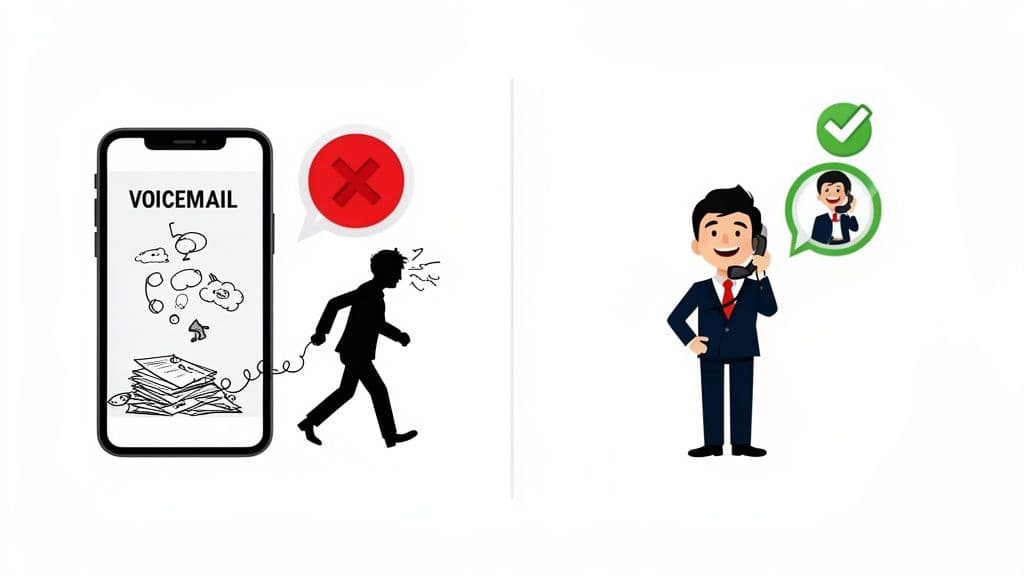
From a Personal Message to a Business Tool
Many small business owners use their personal voicemail for work. This is a mistake. A message for friends ("Hey, it's me, leave a message!") does not build trust with a new client. A professional voicemail is a smart business tool.
A great voicemail greeting does more than take a message. It makes the caller feel good and tells them when you will call back. This helps you keep the lead.
A good voicemail does a few key things at once:
- It tells them they called the right place by saying your name and business name.
- It shows you are a pro, even when you are busy.
- It gives a clear next step, telling them what to say and when you will call back.
Changing from a casual greeting to a professional one makes you look better right away. It tells every caller you take your business seriously. This makes them more likely to wait for your call instead of calling someone else.
Making Your Perfect Voicemail Script
It can be hard to know our voicemail script picks. You want to sound professional but not like a robot. The goal is simple: tell callers they found the right person and what to do next to get a call back.
A great voicemail message does not need to be fancy. It just needs to cover four key things. Clearly say your name and business, give a short reason why you cannot answer, tell the caller what you need, and let them know when you will call back.
The Parts of a Great Script
Think of your script like a simple recipe. When you add the parts in the right order, you get a clear message that is easy for callers to follow.
Here is what every great voicemail needs:
- A Warm Hello: A simple "Hello" or "Hi, you've reached..." works well.
- Say Who You Are: State your name and your company. For example, "This is Mike with Mike's Plumbing."
- A Short Reason: Let them know why you are busy. Something like, "I'm on another call or out on a job," is all you need.
- Tell Them What to Do: This is the most important part. Say, "Please leave your name, number, and a short message."
- Set a Time: Give a clear time for your return call, such as, "I'll call you back in a few hours," or "by the end of the day."
This simple plan keeps your message from being too long. It shows you respect the caller's time and makes them feel sure you will call back.
The best voicemail scripts are short, clear, and helpful. They make it easy for a customer to leave their info. This turns a missed call into a future job.
Voicemail Script Examples
It is hard to find the right words on the spot. It is much easier to have a few scripts ready to go. That way, you can record a great greeting anytime.
Here are some examples you can use. Feel free to change them to fit your voice and business.
| Type of Message | English Script Example | Spanish Script Example |
|---|---|---|
| General Business | "Hi, you've reached [Your Name] at [Company Name]. I can't take your call right now. Please leave your name, number, and a short message, and I'll call you back by the end of the day. Thanks!" | "Hola, se ha comunicado con [Your Name] de [Company Name]. No puedo atender su llamada. Por favor, deje su nombre, número y un breve mensaje, y le devolveré la llamada al final del día. ¡Gracias!" |
| After Hours | "Thank you for calling [Company Name]. We are open [Your Hours]. Please leave a message with your name and number, and we will call you back on the next business day." | "Gracias por llamar a [Company Name]. Nuestro horario de atención es [Your Hours]. Por favor, deje un mensaje con su nombre y número, y nos comunicaremos con usted el siguiente día hábil." |
| On Vacation | "Hello, you've reached [Your Name]. I am out of the office from [Start Date] to [End Date]. For urgent needs, please call [Colleague's Name] at [Number]. If not, I will call you back when I return. Thank you." | "Hola, se ha comunicado con [Your Name]. Estoy fuera de la oficina del [Start Date] al [End Date]. Para asuntos urgentes, por favor contacte a [Colleague's Name] al [Number]. Si no, le devolveré la llamada cuando regrese. Gracias." |
These scripts cover most common needs. If you want more ideas, you can look at other good phone greetings for business that help you get leads.
Recording a Clear and Friendly Greeting
You have the perfect script ready. Now it is time to record it. The good news is you do not need a fancy studio or microphone. Your smartphone and a few simple tricks are all you need to sound clear and friendly.
Think of it this way: your greeting is the first impression a caller gets when you do not pick up. A warm, friendly tone makes people feel better about leaving a message. It shows they have reached a real person who cares.
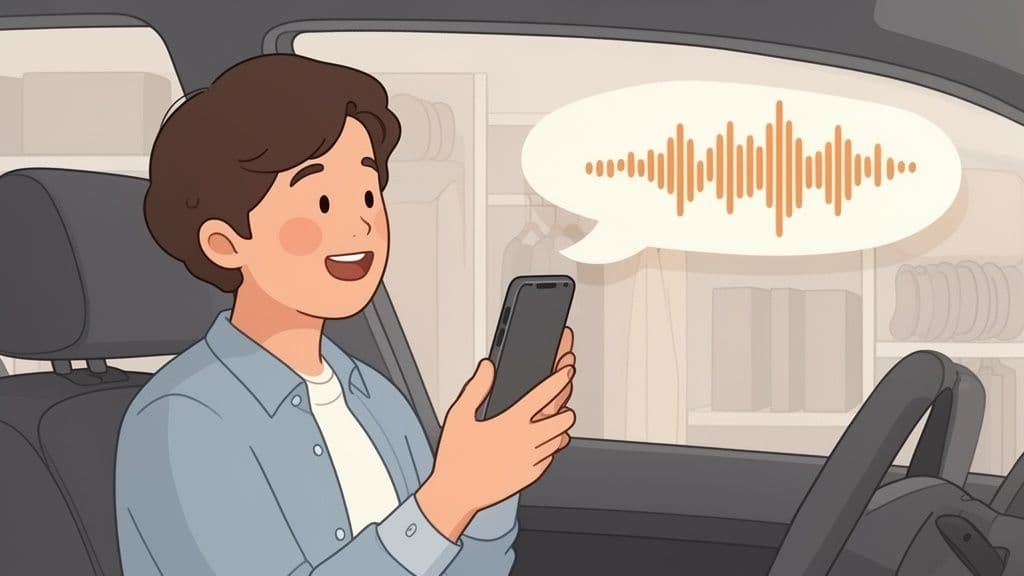
Find a Quiet Place to Record
Background noise can ruin a professional recording. A dog barking, traffic, or a TV can make your message hard to hear and sound bad.
Your job is to find the quietest spot you can. You might be surprised by what works best:
- Your car: A parked car is like a small sound booth. It blocks out most street noise.
- A closet: The clothes hanging in a closet soak up sound. This will reduce echo and help your voice sound clear.
- A quiet room: Any room with soft furniture, rugs, and curtains will work better than an empty room with hard walls.
Taking a minute to pick the right spot makes a big difference. It shows you care about details, which is the impression you want to give clients.
Get Your Tone and Speed Right
It is not just what you say, it is how you say it. You want a tone that is professional but also warm. You want to sound like a trusted expert, not a bored robot.
Here is a tip that sounds silly but works: smile while you speak. It really changes the tone of your voice, making you sound warmer.
Speak at a normal, relaxed speed. If you talk too fast, you will sound stressed, and callers might miss what you say. Speaking too slowly can also sound strange. It is a good idea to practice a few times before you hit record.
Modern phone systems help with sound quality. Over 85% of VoIP users say their calls sound better than they did on old landlines. You can look at more business phone statistics to see how new tools are helping small businesses.
When you are done, listen to your recording. Is it clear? Do you sound friendly and professional? If you are not happy with it, record it again. A few extra minutes of work here will pay off with every call you miss.
Getting Your New Voicemail Greeting on Your Phone
You have recorded a great voicemail greeting. Now for the last step: uploading it so it works for you. This part might sound hard, but most new phone systems make it easy.
Let's get that new greeting uploaded. This will turn your missed calls into real jobs.
On Your Cell Phone
For most business owners, your cell phone is your main phone line. Setting it up right is very important. The steps are almost the same for an iPhone and an Android phone.
You will usually follow these steps:
- Open your phone's Phone app and find the Voicemail button.
- In the voicemail area, look for an option called "Greeting."
- You should see a choice between "Default" and "Custom." Choose "Custom."
- From there, you can tap "Record" to say your script into the phone. Some phones let you upload a sound file you already made.
- Listen to it, and when you like it, tap "Save."
This simple process works for most phones. I suggest calling your own number from another phone after you are done. It is a quick way to be sure everything sounds right.
For Your Google Business Profile
Your Google Business Profile helps you get a lot of new customers. They see your number on Google and call you right away. But here is something important: you cannot upload a custom voicemail greeting to your Google Business Profile.
When a customer calls the number on your Google listing and you cannot pick up, Google sends that call to your real phone. The caller hears the voicemail greeting on your phone, not one from Google.
This makes it even more important to get your cell phone or office phone's greeting right. It works for both direct calls and calls from your Google listing.
How to Do It on Other Phone Systems
Not everyone uses just a cell phone. Many businesses use phone systems on the internet. These are often called PBX or softphones. A very useful feature is the ability to learn how to forward voicemail to your email, which keeps everything in one place.
Uploading a greeting to these systems is also easy:
- PBX or VoIP Systems: You will usually log in to your account on a website. Look for a "Settings" or "Call Rules" menu. That is where you will find the options to upload your sound files.
- Softphone Apps: If you use an app on your computer or phone from your provider, look in its settings menu. There will be a section for voicemail where you can record a new greeting or upload your file.
No matter what system you use, the goal is the same: make sure callers hear your professional, warm greeting when you cannot get to the phone.
When to Use More Than a Standard Voicemail
A good voicemail greeting is a big step up for any small business. It makes you sound like a pro and helps you keep leads. But what if you could do more than just take a message? What if every single call got answered right away, even when you are busy?
This is the next level of handling calls. Think of it as a system that helps your customers 24/7. This kind of technology used to be just for big companies, but now it is easy and cheap enough for small business owners.
Voicemail vs. an AI Helper
Here is the big difference: a standard voicemail is passive. It just sits there and our free virtual receptionist picks can help. An AI helper, on the other hand, is active. It talks with callers the second they call you.
Let’s break it down:
- Voicemail: Takes a message. The caller hangs up and waits for you to call back.
- AI Helper: Answers right away, day or night. It can answer common questions, check if a lead is good, and even text callers a link to book a time with you.
This is not just about sounding professional. It is about helping your customers right away to keep your business moving. It is like having a front-desk person who never sleeps.
The real power of an AI helper is how it turns a missed call into a good talk. Instead of a dead end, you get a good lead who has already been helped.
This chart shows the basic steps for setting up your voicemail.
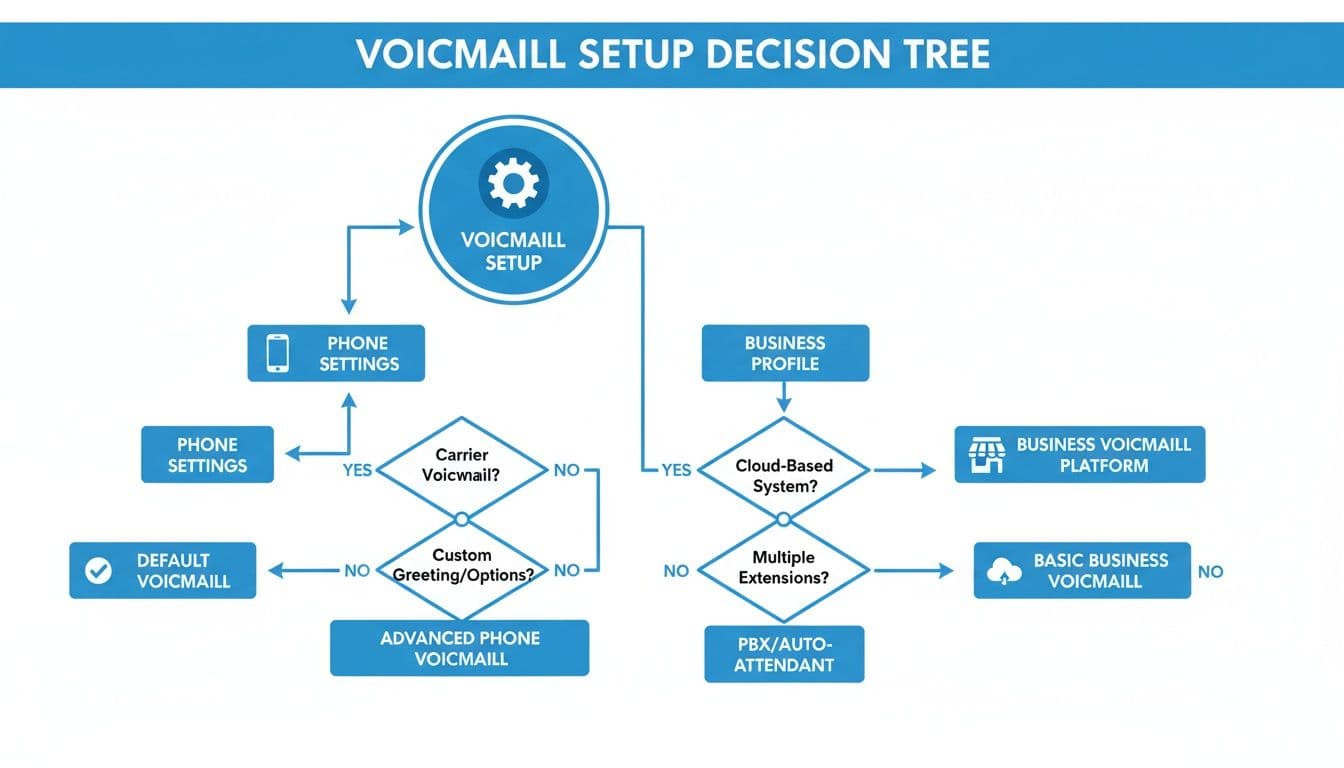
As you can see, both our voicemail to email tips use that main greeting. This shows why it is so important to have one smart system to handle every call.
Is It the Right Time for a Change?
Deciding to move past a basic voicemail usually happens for one reason: growth.
Are you missing more calls than you can call back quickly? Do you hear that customers went with someone else because they answered the phone first? If you are nodding your head, it might be time for a change.
You are not alone. These systems are getting very popular. The market for VoIP services was worth $161.79 billion globally in 2025** and is expected to be **$264.27 billion by 2029. With over 60% of small businesses already using VoIP, it is becoming the new normal. You can discover more insights about VoIP adoption from Zoom to see how much it is changing business calls.
Switching to an AI helper can feel like a big step, but it is made to solve the problem of not being able to be in two places at once. It answers the phone while you do the work, so you never miss a chance to book another job. For a growing business, that is not a nice-to-have, it is a must-have.
Voicemail FAQs: Your Top Questions Answered
Even with the perfect script, you might still have a few questions. Getting the details right makes a good voicemail great. Let’s look at the most common questions business owners ask.
Fixing these small things makes a big difference. It shows callers you are on top of your game and makes them feel good about leaving a message.
What Is the Best Length for a Voicemail Greeting?
For your greeting, short is best. You should aim for a message that is between 20 and 25 seconds long.
That is the perfect amount of time. It is long enough to say what you need to say without making your caller wait too long. If it is any longer, they might get tired of waiting and hang up before the beep.
How Often Should I Update My Voicemail Greeting?
You do not need a new message every week, but you also cannot just set it and forget it.
It is a good idea to record a new greeting for certain times:
- Holidays: A quick update for a long weekend or holiday is a nice touch.
- Vacations: Always let people know you are away and when you will be back.
- Changes in hours: This is very important. If your hours change, your voicemail should be the first thing you update.
Other than that, it is a good habit to check your main greeting every few months. Just listen to it to make sure the information is still right and it still sounds good.
Nothing says "we don't pay attention" like a voicemail greeting that talks about a sale that ended last month. A caller who hears an old message will lose a bit of trust.
How Do I Get More Callers to Leave a Message?
Do you ever look at your phone, see a lot of missed calls, but have no new voicemails? It is a common problem. A few small changes to your script can help callers leave their info. This gives you a chance to call back and get their business.
The best thing you can do is give clear directions and say when you will call back. Do not just end with "...please leave a message."
Be direct. Tell them exactly what you need. Try something like, “Please leave your name, number, and a short note about your project, and I’ll call you back within four business hours.”
This simple line does two huge things. First, it makes it clear what they should say. Second, and more importantly, giving a callback time makes them feel sure their message will be heard. It builds trust right away and makes them much more likely to wait for your call instead of calling someone else.
Ready to Never Miss a Call?
7 days. Cancel anytime.
Let Cira answer your calls and book jobs while you work.