Send Voicemails to Email and Never Miss a Lead

Here is a simple trick that can change how you handle work calls: send voicemails right to your email. You can set this up on your phone or office phone system. This small change creates a neat list of every client message. This way, you will never miss a lead again.
Why Your Old Voicemail Is Costing You Business

Think about this. You are a plumber, busy on a job. Your phone rings. It’s a new lead, but you can’t answer. They leave a voicemail. By the time you check it, they have already hired someone else.
Does this sound like you? For busy small business owners, this happens a lot. A missed call that deserves a text back is a risk. Using an old voicemail system is like trying to catch new customers with a leaky bucket. You will lose some.
The Hidden Costs of an Old System
The problem with a normal voicemail box is not just that it's hard to use. It costs you money and chances to get work. When your voicemail is full or messages get lost, new clients are left waiting. People want fast answers. If you wait a few hours to call back, you can lose the job to someone who was faster.
Voicemail also makes a mess. You have to listen to messages again and again, write down notes, and type in phone numbers. This takes a lot of time and it's easy to make mistakes. You might forget something important or delete a message by accident. This can make you look bad.
It's true that 80% of business calls go unanswered and go to voicemail. When a new customer leaves a message, a slow reply can feel like no reply at all.
A Smarter Way to Handle Missed Calls
The fix is to send voicemails to your email. This simple change helps a lot. Instead of being stuck on your phone, every message comes to your email as an audio file. This makes a tidy list of every lead and question.
This method gives you some big wins:
- Never Lose a Lead: Your email becomes a safe place to store and search for messages. You can find a client's message by searching their name or number.
- Faster Follow-Ups: Listen to voicemails on any device, like your laptop or tablet. You can reply right away. You don’t have to wait to get back to your phone.
- Better Organization: You can make folders, add labels, and send messages to your team. Voicemails become part of your work, not a separate task.
- Clear Records: Having a digital copy of what clients ask for helps avoid problems about job details later.
Making this small change helps you give the fast, professional service that wins jobs. To learn more about managing calls, you can look into a phone answering service for small businesses. It’s another great way to turn a headache into a simple way to get every job.
How to Get Voicemails Sent to Your Email from a Cell Phone
Let's be honest: for most small business owners, your cell phone is your work phone. When you use one phone for client calls, supplier calls, and your own life, voicemails can get messy fast.
Sending those voicemails to your email is a big help. It's a simple change that makes a tidy list of every message. This makes your life much easier. How you set it up depends on if you have an iPhone or Android and who your phone company is. Some companies offer this, but for others, you might need an app.
Setting Up Voicemail to Email on an iPhone
If you have an iPhone, sending voicemails to email usually depends on your phone company. Big companies like Verizon and AT&T often have this in their visual voicemail service. They might even include text copies of the message.
First, check your phone company's app or your phone's settings.
- Look for services called "Voicemail to Text" or "Premium Visual Voicemail." These often send the audio file and a text copy to your email.
- If your phone company doesn't offer this, an app like YouMail or Google Voice is a good choice. These apps take over your voicemail and have more features, like sending messages to your email.
The goal is to turn your voicemail from a black hole into a list you can search. You should be able to find a lead from three weeks ago as easily as a message from yesterday.
Configuring Voicemail to Email on an Android
For Android users, it’s a lot like the iPhone—it depends on your phone company. Android phones are made by many different companies, so the steps might look a little different. But the plan is the same.
Start by going to your phone company's website or app. See what special voicemail services they offer. This is often the easiest way to send voicemails to email. For example, T-Mobile has a "Voicemail to Text" feature you can add to your plan.
If your company doesn’t have this, apps can help. They use a smart trick called conditional call forwarding. You just tell your phone to send missed calls to the app's number instead of your normal voicemail. It’s a simple way to get it done.
A big plus here is getting a written copy of your messages. Good services can translate voicemail to text so you can read them fast. Instead of stopping to listen to a long message, you can read the text in a few seconds to find a name or number. This saves a lot of time, especially when you are on a job.
Using Google Voice to Manage Your Business Calls
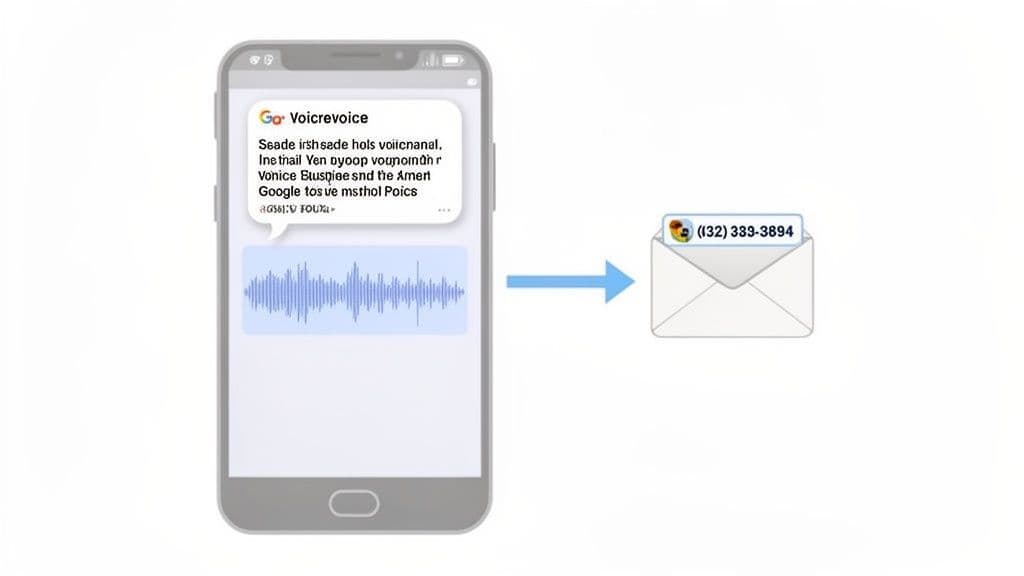
When you run your own business, it's important to look professional. A great—and free—tool for this is Google Voice. It gives you a separate work number that rings on your personal cell phone. You don't need any extra phones.
This simple tool keeps your work and personal life separate. The best part? It has a feature to send voicemails directly to your email. This gives you a list of every message that you can search. It’s an easy way to forward voicemails to your inbox.
Getting Started with Your New Business Number
Setting up Google Voice is easy. First, you get a new, free phone number. I suggest picking one with a local area code. This helps people in your town trust you.
Once you have your number, record a professional voicemail greeting. Don’t use the boring robot voice. Make a custom message that welcomes callers, says your business hours, and tells them when you'll call back. It's a small thing that makes a big first impression.
A separate work number is about more than looking professional. It gives you control. You can set "do not disturb" hours for your Google Voice number. This stops work calls from bothering you at home. Your personal line stays open for family.
Linking Voicemails to Your Email Inbox
The best thing about Google Voice is how it works with your email. In the settings, you can choose to send all new voicemails to your email. Turn that on, and you'll get an email every time a client leaves a message.
This is not just a simple alert. The email has useful stuff:
- An audio file: You can play the message on your computer or phone. You don't have to call a clunky voicemail system.
- A text copy: Google's AI does a pretty good job of writing out the message. It might not be 100% perfect, but you can usually read it and see what the caller needs.
This turns your email into a great tool for managing leads. If you need to find a message from a client, just search their name or number. This system makes it almost impossible to lose a phone number or forget to return a call.
Boost Your Visibility with Google Business Profile
Once your new Google Voice number is ready, add it to your Google Business Profile. This is the info box that people see in Google Search and Maps when they look for businesses like yours. Using your work number here keeps your business looking consistent.
Now, when a new customer finds you online and calls, they hear your professional message. And if you miss the call, their message goes right to your inbox, ready for you to follow up. The whole system makes your small business run like a bigger, smoother company.
Connecting Your Office VoIP System to Email
If your business has more than one person, you might use a Voice over Internet Protocol (VoIP) system. This is just an office phone system that uses the internet instead of old phone lines. These systems are made for business, and a key feature is the power to send voicemails directly to your email.
Most business VoIP providers include this as a standard feature. The system turns every new voicemail into an audio file, like an MP3. Then it emails it to an address you choose. You can send it to your own email or a shared one like info@yourcompany.com so the whole team can see it.
Finding the Right Settings in Your VoIP Dashboard
Getting this to work is usually simple. First, log into your VoIP company's website. Every company's website looks a little different, but you are looking for the same basic settings.
Look for a menu with a name like one of these:
- Voicemail & Notifications
- Messaging
- Call Handling
- User Settings
Once you find it, you should see a checkbox that says "Email a copy of the voicemail message" or "Voicemail Forwarding." Just turn it on and type in the email address where you want the messages to go.
For example, if your team uses a service like Webex Calling, a manager can find this in the "Voicemail" settings for each person. You can also often turn on voicemail-to-text. This is very useful because it sends a written version of the message along with the audio file.
The goal here is to make one place for all client messages that you can search. When a customer's message is in your email, it’s not a forgotten task. It's a written request that’s easy to track and reply to.
Why This Is a Game-Changer for Teams
This small feature changes how a team handles customer calls. Imagine a new lead calls and leaves a message about a big project. Without email forwarding, that message is stuck on one person's phone, waiting for them to check it.
But with this setup, the voicemail goes to a shared team email right away.
Now, anyone on the team can see the new lead. A project manager can look at the details. A salesperson can call them back. An office helper can put the client's info in your records. Nothing gets lost. This simple change turns a messy process into a smooth system for catching every single chance to get work.
Deciding When to Upgrade to an AI Receptionist
Setting up a system to send voicemails to email is a great idea for any busy business owner. It keeps your leads in one place and helps make sure nothing gets missed.
But what if you could stop missing calls at all? What if you could end the game of phone tag for good?
That's where an AI receptionist changes everything.
Sending voicemails to email is good for managing messages after you miss a call. An AI receptionist answers the phone for you, so you never miss the call in the first place. It's like the difference between cleaning up a spill and stopping it from ever happening.
This chart helps you decide how to handle your calls.
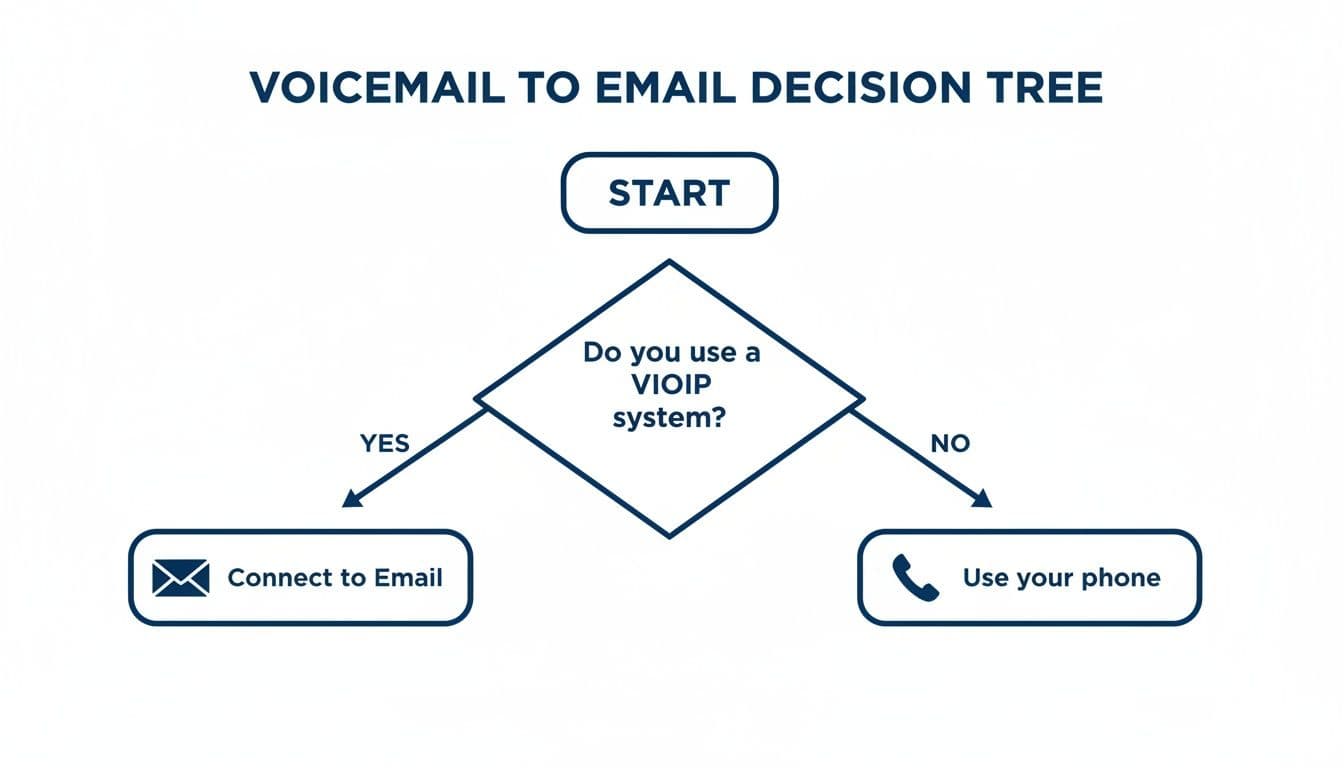
As you can see, the goal is to get messages into a system you use, like email. But the real goal should be to get the business right away.
When Voicemail to Email Isn't Enough
Getting voicemails in your email is a smart way to manage calls. But you are still reacting to missed calls. You're always playing catch-up on calls you could not take.
An AI receptionist changes that. It can talk to every caller for you, 24/7, without you doing anything.
Here are a few signs that it might be time to switch:
- You're still losing jobs. Even if you call back fast, some customers will just hire the first person who answers the phone.
- You spend too much time on follow-up. Listening to messages, calling people back, and answering the same questions over and over takes a lot of time.
- Your voicemail box is always full. If you get more calls than you can handle, just sending them to email doesn't solve the main problem.
An AI receptionist does more than take a message. It can answer common questions ("Are you insured?"). It can check if a lead is good ("What's your address?"). It can even book jobs right on your calendar. This means new jobs get booked while you are on another job, sleeping, or with your family.
Think about this: 80% of business calls go unanswered. They go to a voicemail most callers quietly hang up on. It's true that following up a voicemail with an email can get you 10-11% more jobs. But an AI receptionist does more. It answers the call right away and can text a link to book a job. It gets you the lead on the spot.
Voicemail to Email vs AI Receptionist
So, how do you know when it's time to do more than just send voicemails to email? Let's look at how each system helps a growing business.
This table shows what each choice can—and can't—do for you.
| Feature | Voicemail to Email | AI Receptionist (Cira) |
|---|---|---|
| Call Handling | Reactive—gets messages after you miss a call. | Proactive—answers every call right away, 24/7. |
| Lead Capture | You have to listen and call back to get the job. | Can check if a lead is good and book jobs instantly. |
| Customer Service | The caller has to wait for you to call them back. | Gives instant answers to common questions. |
| Your Time | Saves time organizing, but you still have to call back. | Frees you from ever answering the phone. |
An AI receptionist is the next step when your business is getting too many calls for you to answer. It's not just about managing voicemails. It's about setting up an automatic way to get leads so you can focus on the work that makes you money.
As you think about this, looking at the best AI tools for small business growth can give you a bigger picture. To see how this helps workers like you, check out our article on the AI receptionist for small business.
Organizing Your Emailed Voicemails for Quick Follow-Up
Great, now voicemails are in your inbox. But if you're not careful, your inbox will get messy. This makes it hard to find the lead you need to call back. Let's make a simple, good system.
First, make a special folder in your email. Call it something clear like "Voicemails" or "New Leads." This is where all your missed calls will go. It keeps them separate from your other emails.
The best trick is to make this sorting automatic. Set up a filter or rule in your email settings. This rule will move any email with an audio file into your new folder. You set it up once, and it saves you a lot of work later.
Creating a System That Works for You
Okay, all your voicemails are in one place. That's a good start, but we can make it better. The names of the audio files are usually just numbers and dates. This is not helpful for finding anything.
A smart naming plan is your best friend here. A little work now will save you big headaches later. Try a name like this:
- [Client Name] - [Date] - [Short Topic].mp3
- For example: John Smith - 2024-10-26 - Leaky Faucet Quote.mp3
This one small habit makes your voicemail list easy to search and much more useful. You won't have to listen to a dozen messages just to find the one you need.
Remember, these voicemails often have private client info—names, phone numbers, and addresses. Be careful with this information. Make sure your email account has a strong password and two-factor authentication to keep it safe.
Why Transcriptions Are a Game-Changer
If your voicemail service gives you text copies, use them. They are very valuable. Having a written version means you can find a specific detail, like a phone number or an address, by just searching for it. It's much faster than listening to an audio file over and over.
Think about it: email is a very strong tool for business. Studies show that for every $1** you spend on email marketing, you can make **$36 to $45. When you follow up on a voicemail with a quick email, you can get up to 10-11% more work. That's how a missed call becomes a paying customer.
This organized follow-up system is a great start. As your business grows, you'll want to move this information into a bigger system. To learn how to keep all your customer info in one place, check out our guide on the best CRM for small business.
Ready to Never Miss a Call?
7 days. Cancel anytime.
Let Cira answer your calls and book jobs while you work.